AUDITOR-CUSTOMER COLLABORATION
Designing for post-audit retention
COMPANY
Secureframe
EXPERTISE
Product Design · Systems Design
impact
Improve retention for Year-2+ customers
Secureframe's churn risk had shifted. Customers weren't leaving because they failed to get compliant—they were leaving after they succeeded.
Internal analysis revealed that ~40% of churn occurred after an audit report was issued. The pattern: once audit work moved into auditor portals, spreadsheets, and email, Secureframe became less central to day-to-day workflows. Customers started questioning whether they still needed the platform.
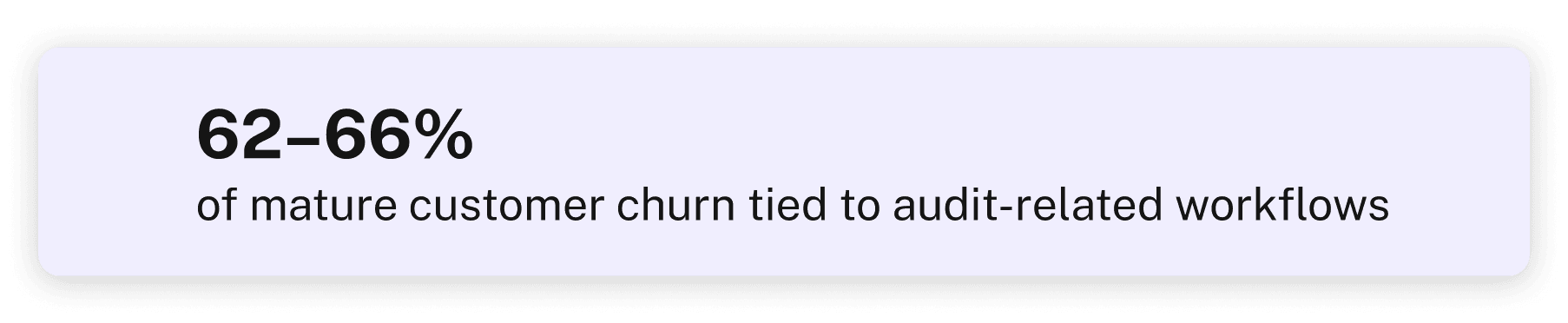
Source: Internal churn analysis, Q2–Q4 2025
THE GOAL: keep audit collaboration inside Secureframe so customers stay engaged through—and after—their audits.
Background
Secureframe is a compliance platform that helps companies prepare for audits by centralizing controls, evidence, and audit context.In practice, much of the audit work moved outside the platform into auditor portals, spreadsheets, or email—fragmenting the experience.
In practice, much of the audit workflow moved outside the platform during active audits, fragmenting the experience and reducing trust in what was truly audit-ready.
Timeline
Multi-phase rollout, shipped incrementally during live audits
The Team
1 PM, 1 Designer (me), 1 Engineer, Compliance stakeholders
My Role
Led design for the Audit Portal. My PM defined scope and business framing; I owned design decisions—interaction model, information architecture, and UX flows.
An earlier version of the Audit Portal existed, but it was built for internal visibility—helping Secureframe track which customers were in audit. It wasn't solving the retention problem because there was no way for auditors and customers to actually collaborate inside the platform.

V1: Basic audit tracking
When my PM and I picked up the project, we shifted the focus from "track audits" to "keep audit collaboration inside Secureframe."
The question became: what would make auditors actually want to work here instead of their own portals?
Give auditors clarity
A scoped view of what they need: test, evidence, context
Enable back-and-forth
Without forcing customers into external tools
Ship incrementally
Simple enough to release during live audits
These principles shaped the key design decisions that followed.
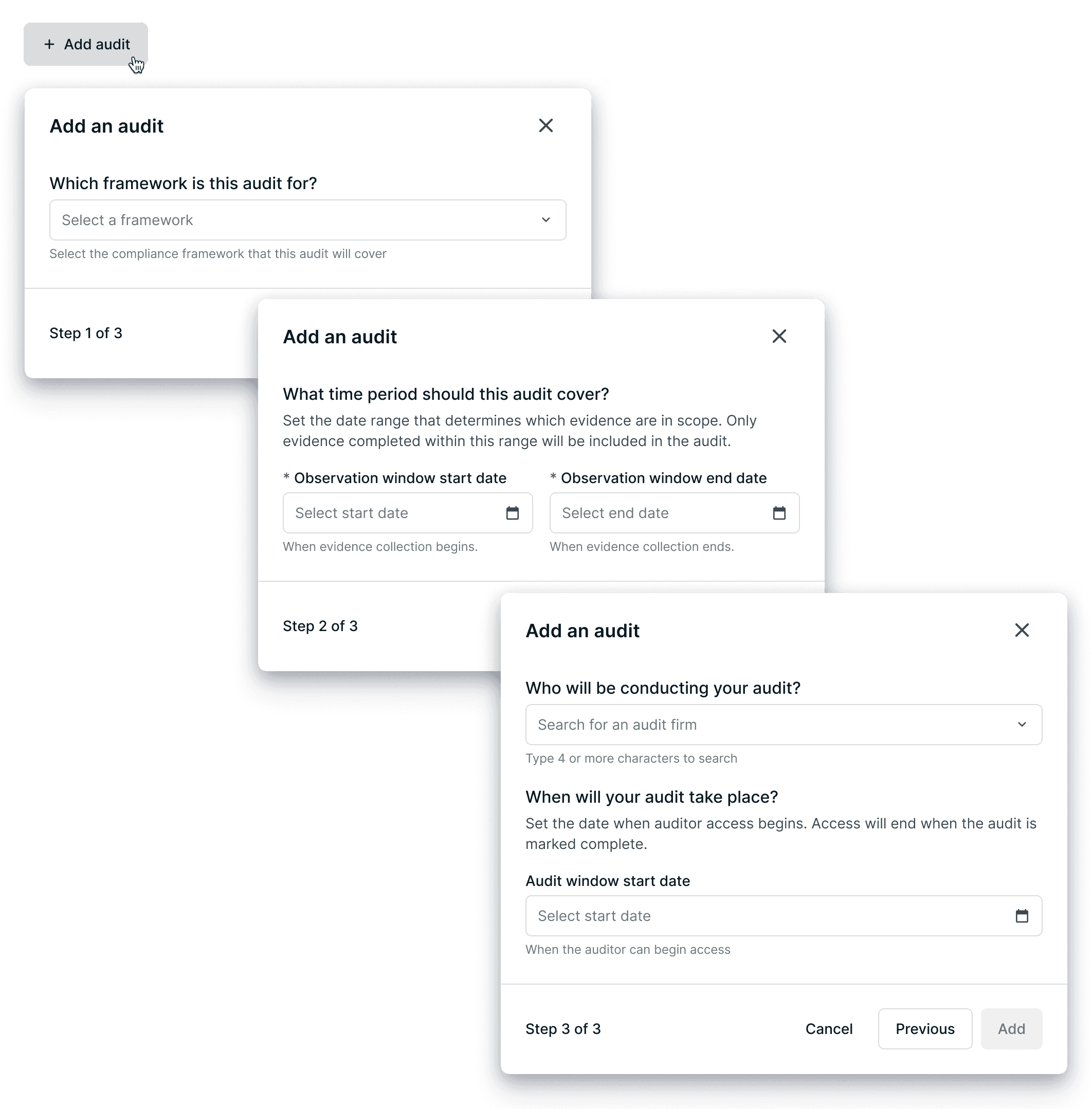
The original "Add an audit" flow put all fields in a single form—framework, dates, audit firm. But these are distinct concepts that needed to be sequenced, not flattened.
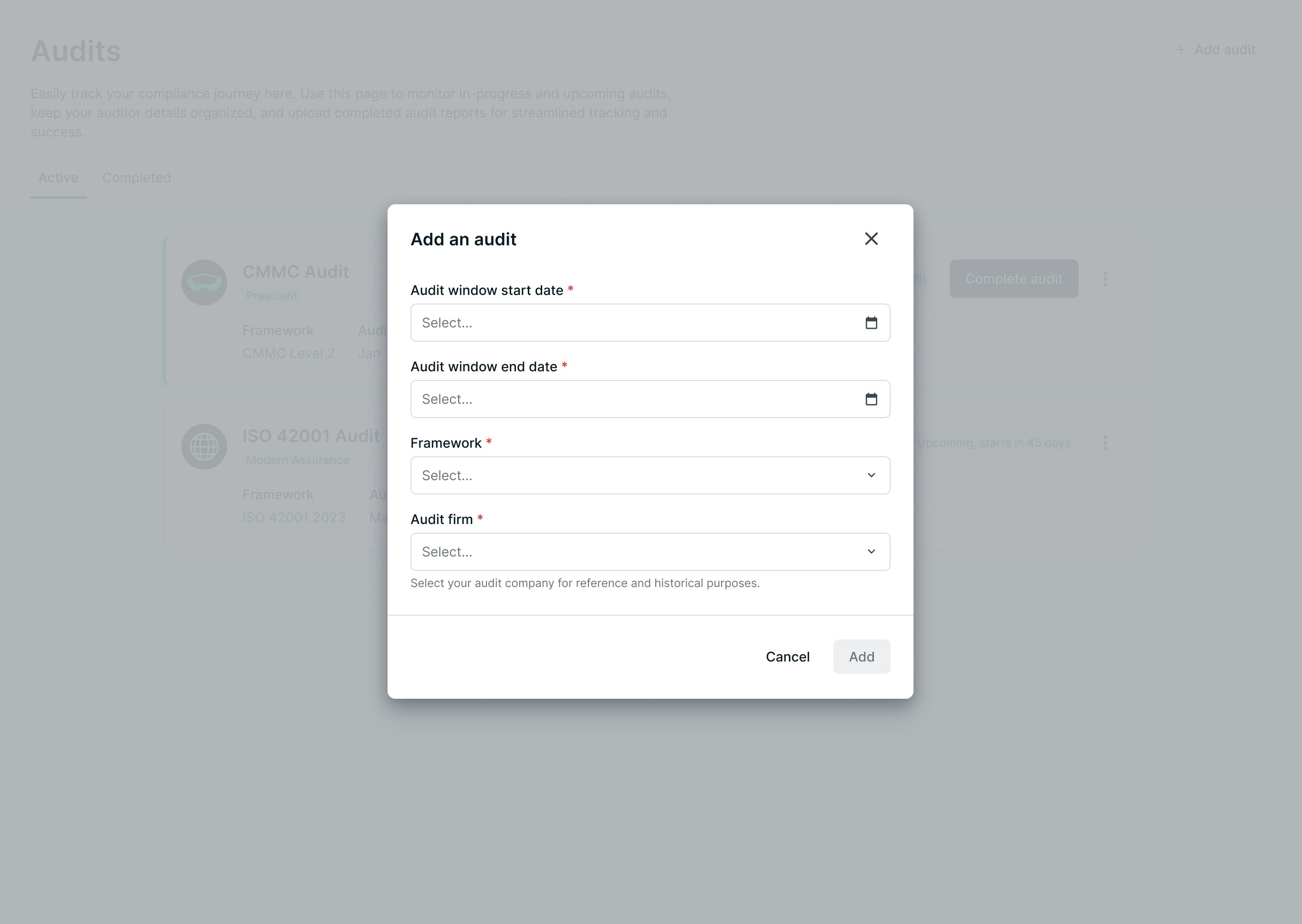
❗️BEFORE: All fields in one flat form
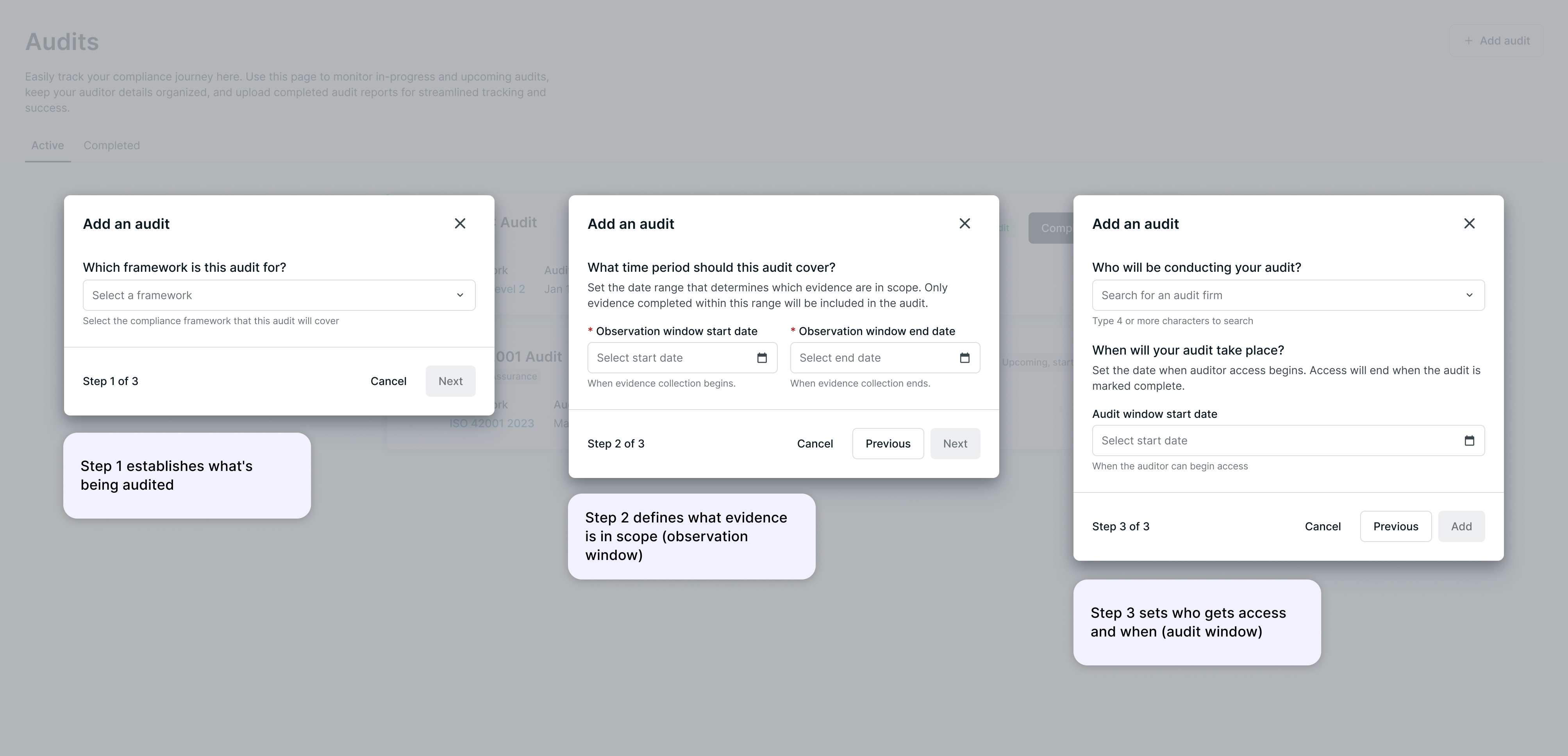
✅ AFTER: Guided 3-step flow separating framework, evidence scope, and auditor access
Separating these concepts reduced cognitive load and prevented configuration errors—especially important since audits can't be easily restarted once evidence is scoped wrong.
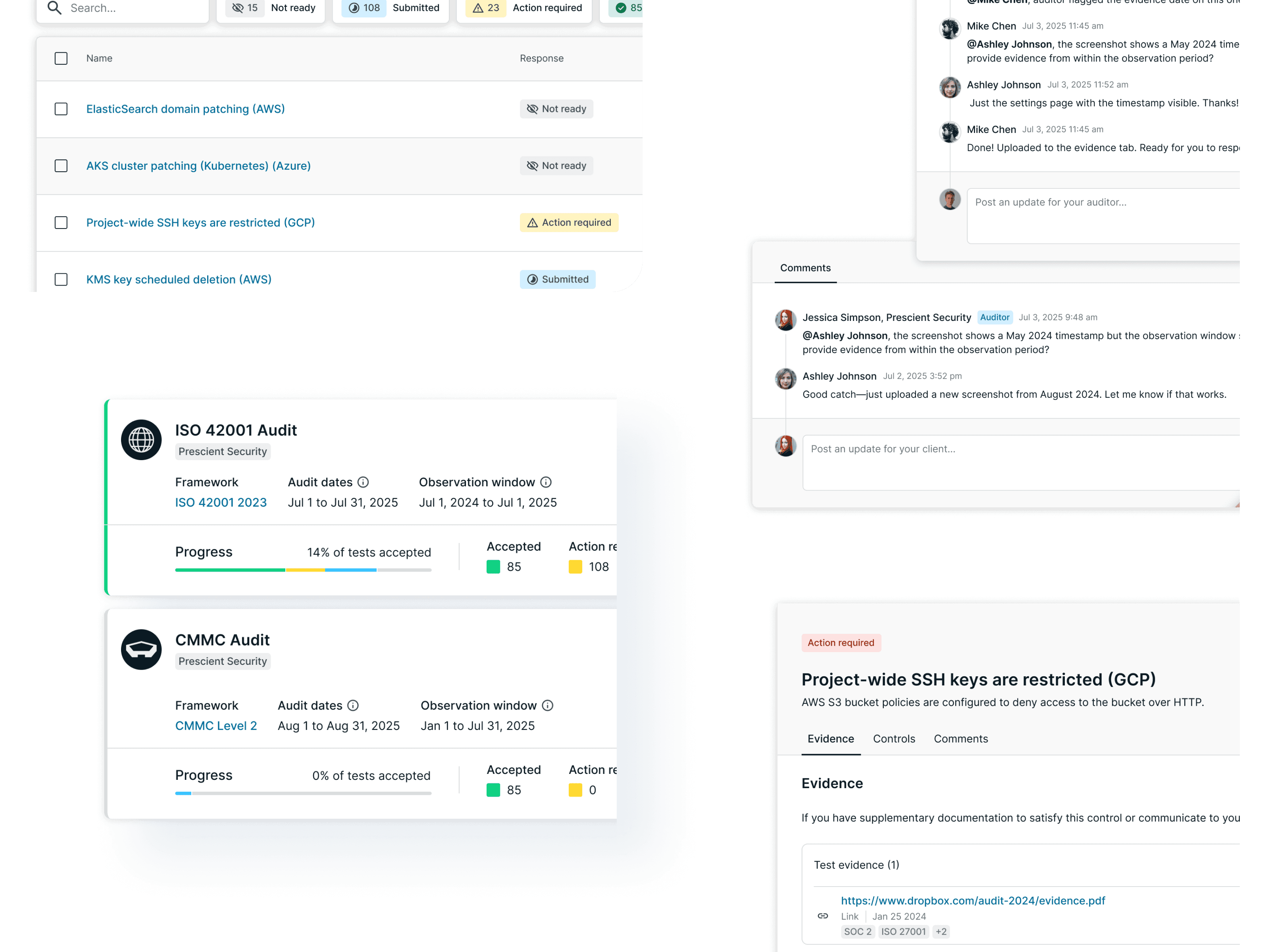
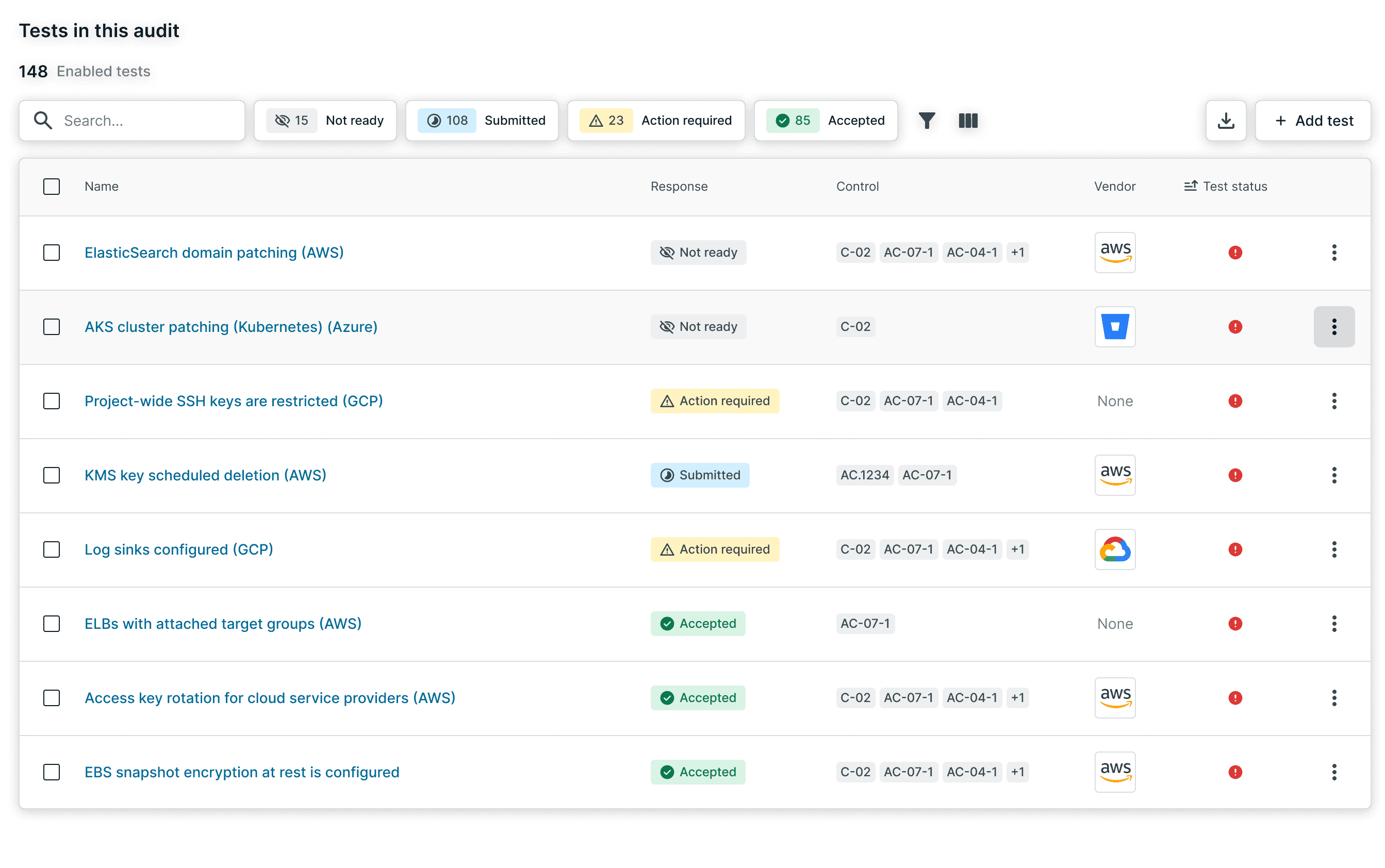
The previous system showed test health statuses (passing/failing). But auditors don't care about health—they care about whether evidence is ready for review.
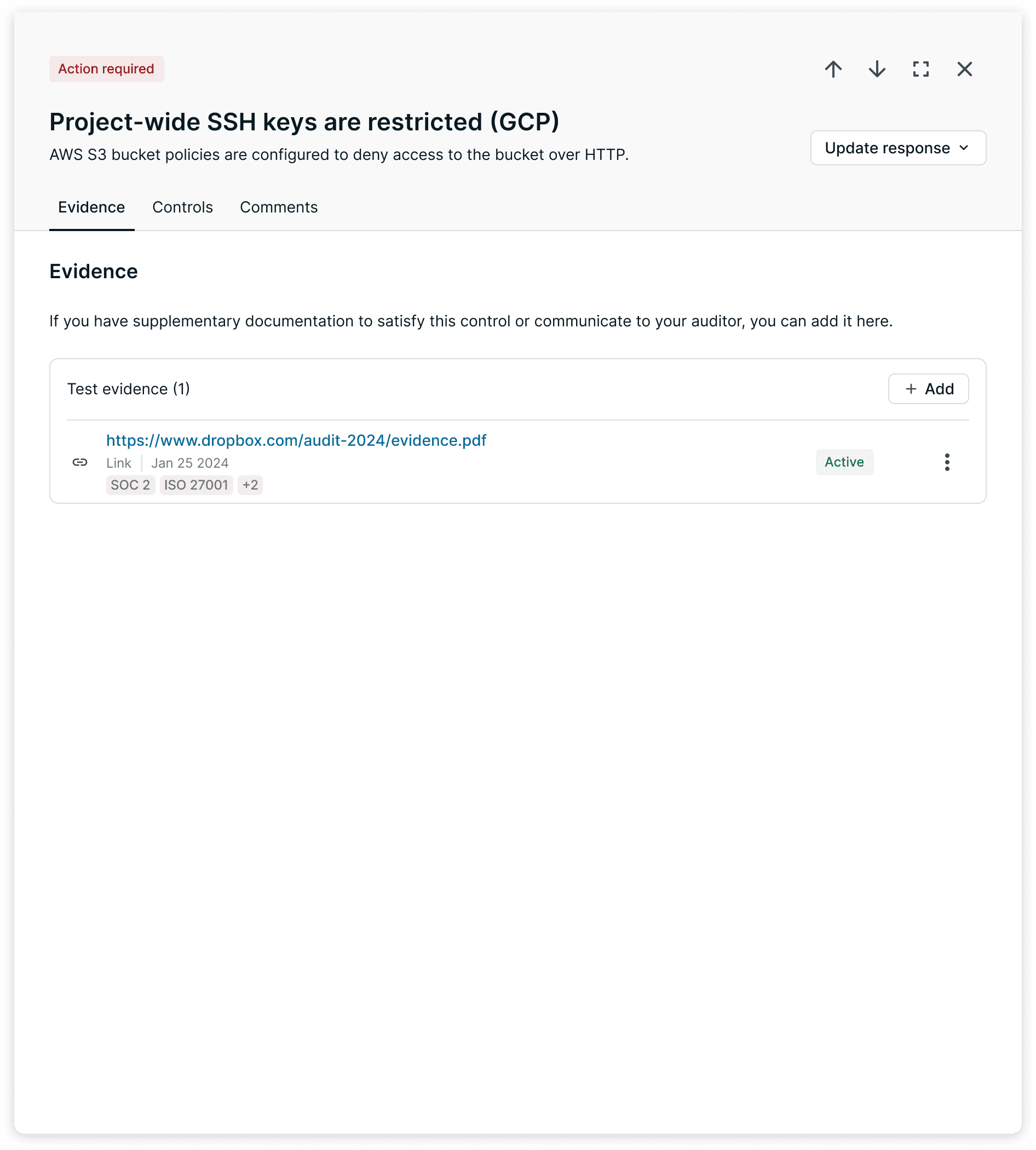
I introduced a "Response" model: tests are marked as Submitted, Action Required, or Accepted. This reframed the UI around audit workflow, not compliance state.
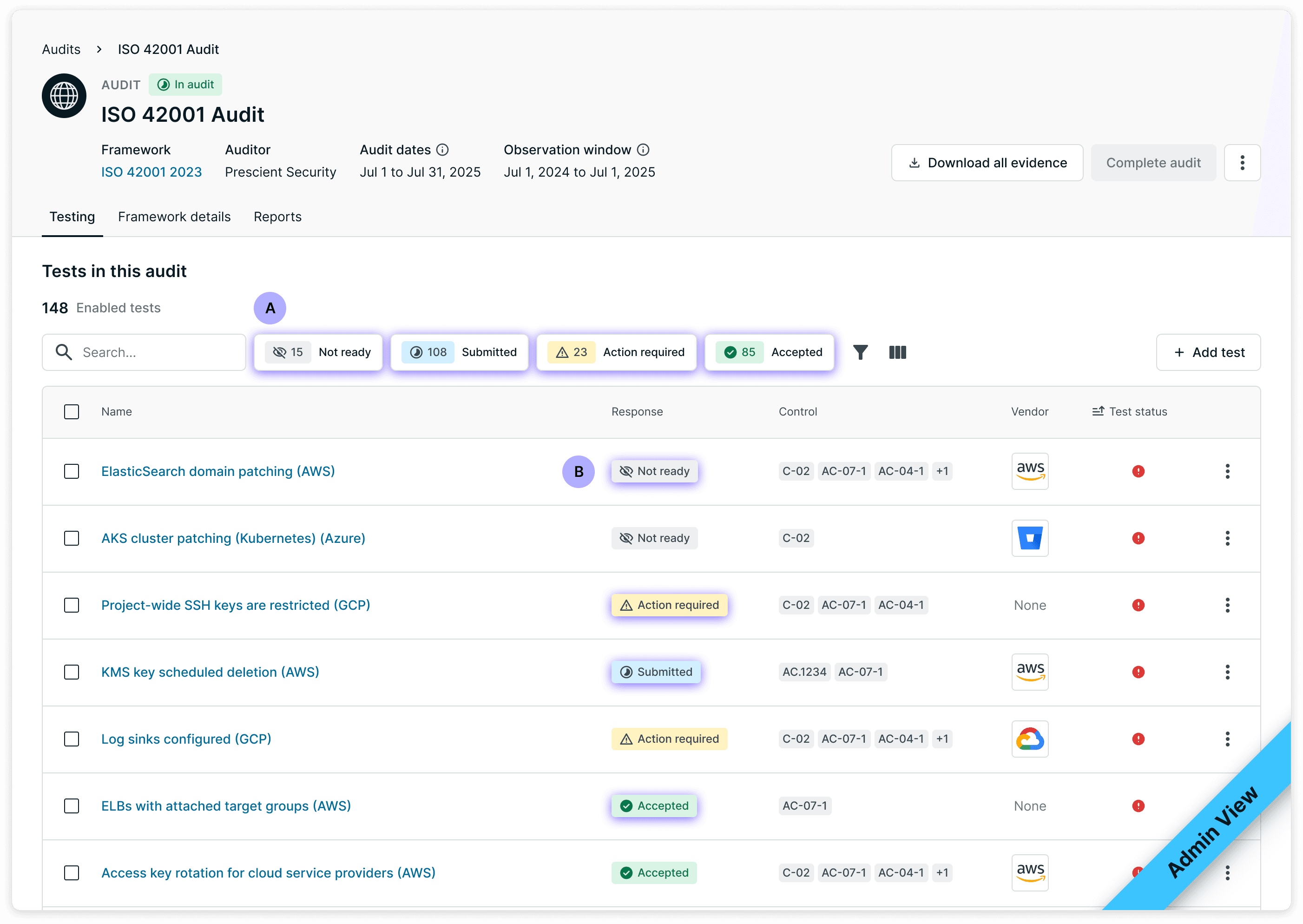
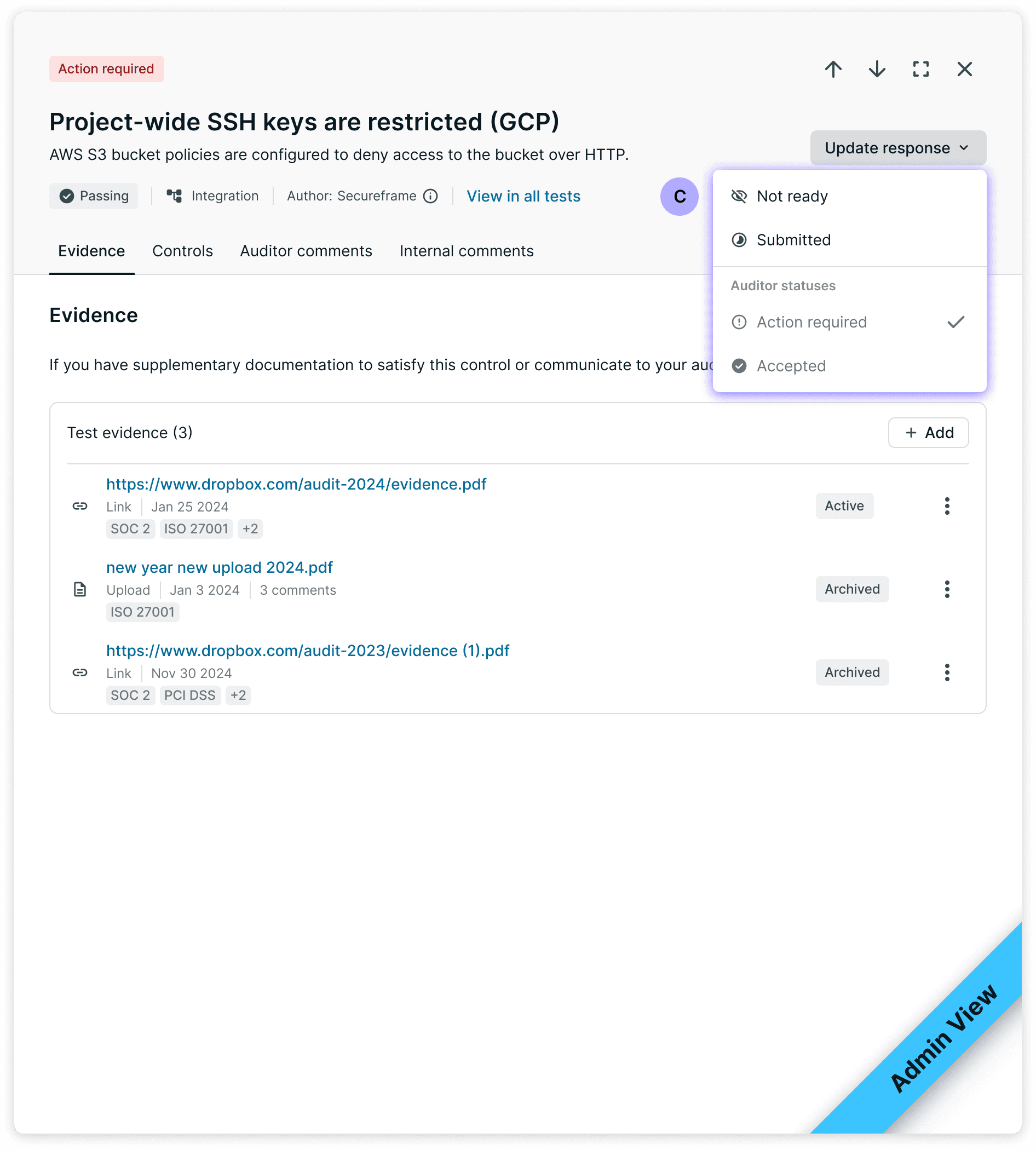
Admin experience
Response counts replace health status as the primary progress indicator
Tests show audit readiness (Submitted, Action required, Accepted)
Dropdown lets users update response status directly
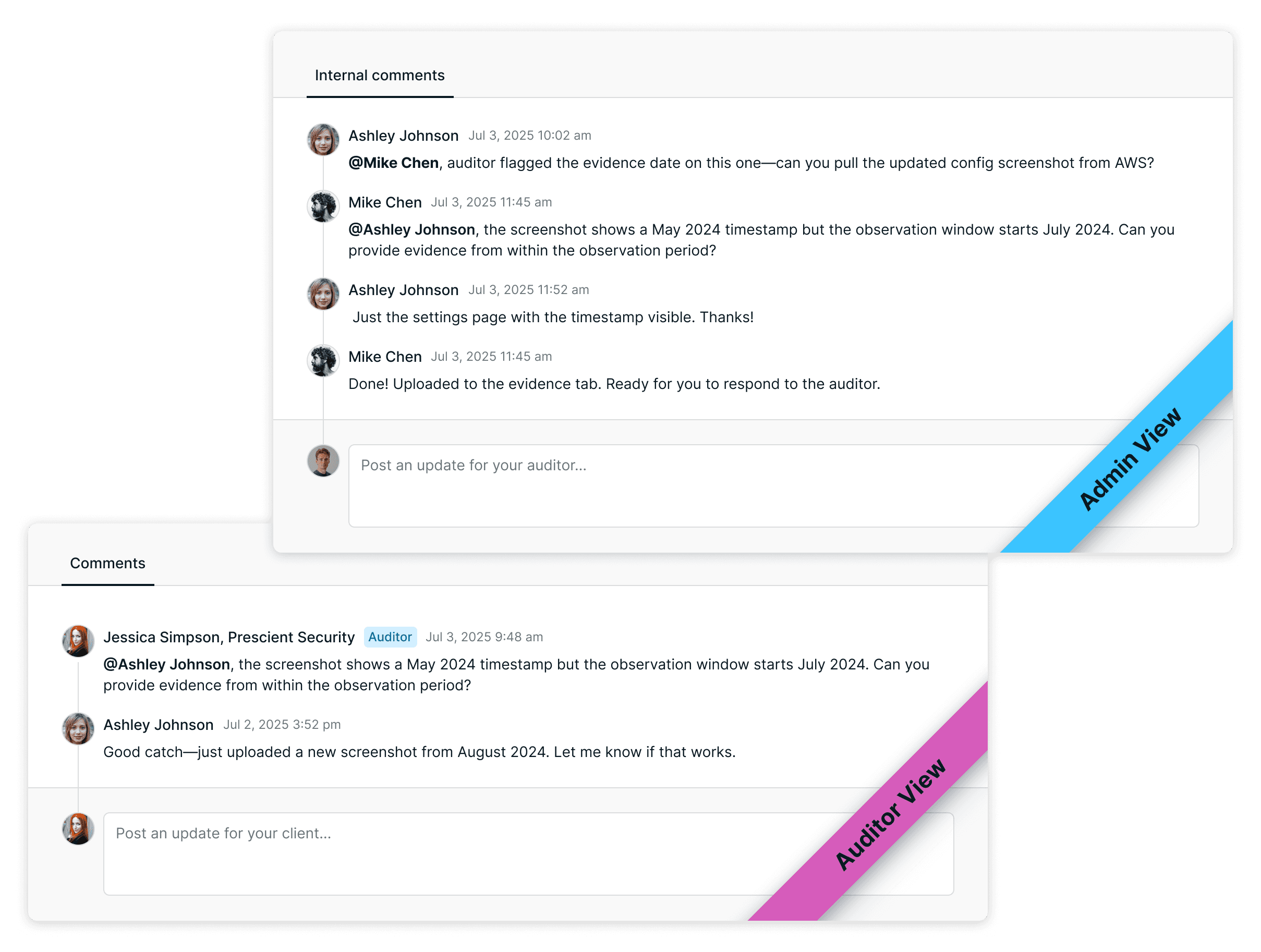
To keep communication inside the platform, each test has two comment threads: Auditor comments (shared with the auditor) and Internal comments (visible only to the customer's team).
This lets customers coordinate internally before responding—without switching to Slack or email. Auditors see a single "Comments" tab; they don't need to know an internal thread exists.
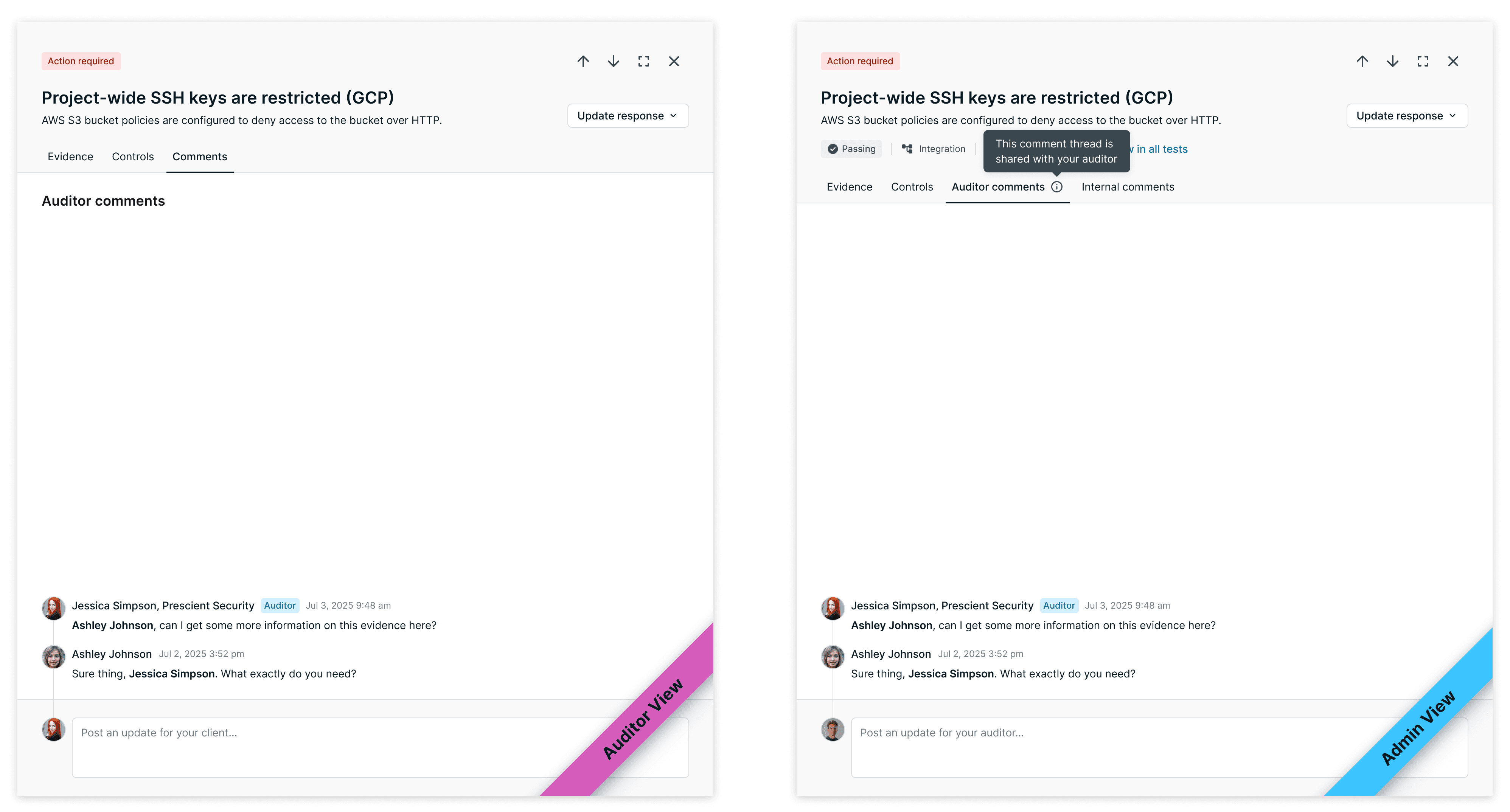
Auditors see a single "Comments" tab—they don't need to know an internal thread exists.
Admins see both Auditor comments (shared) and Internal comments (private). Auditors only see the shared thread.
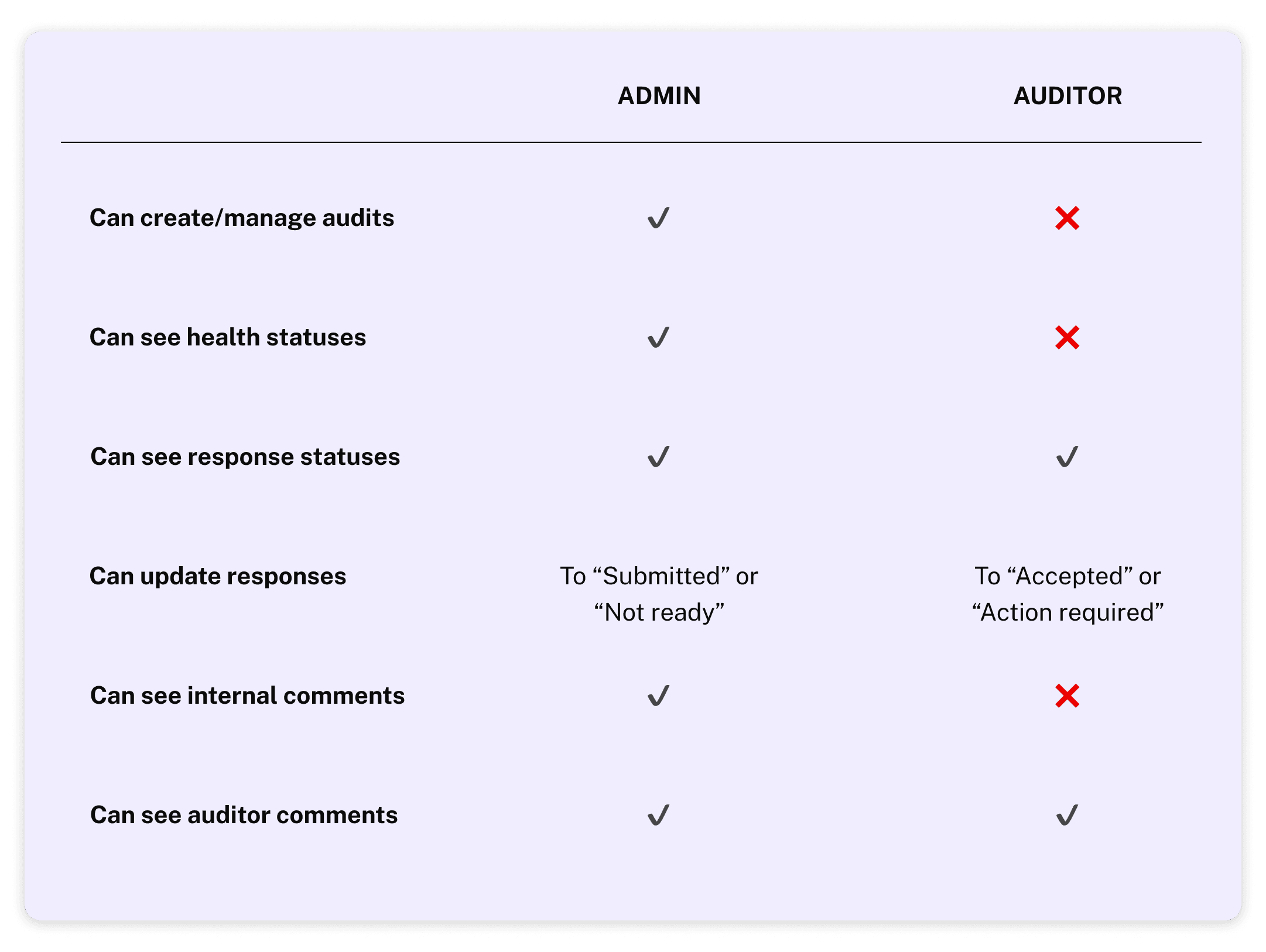
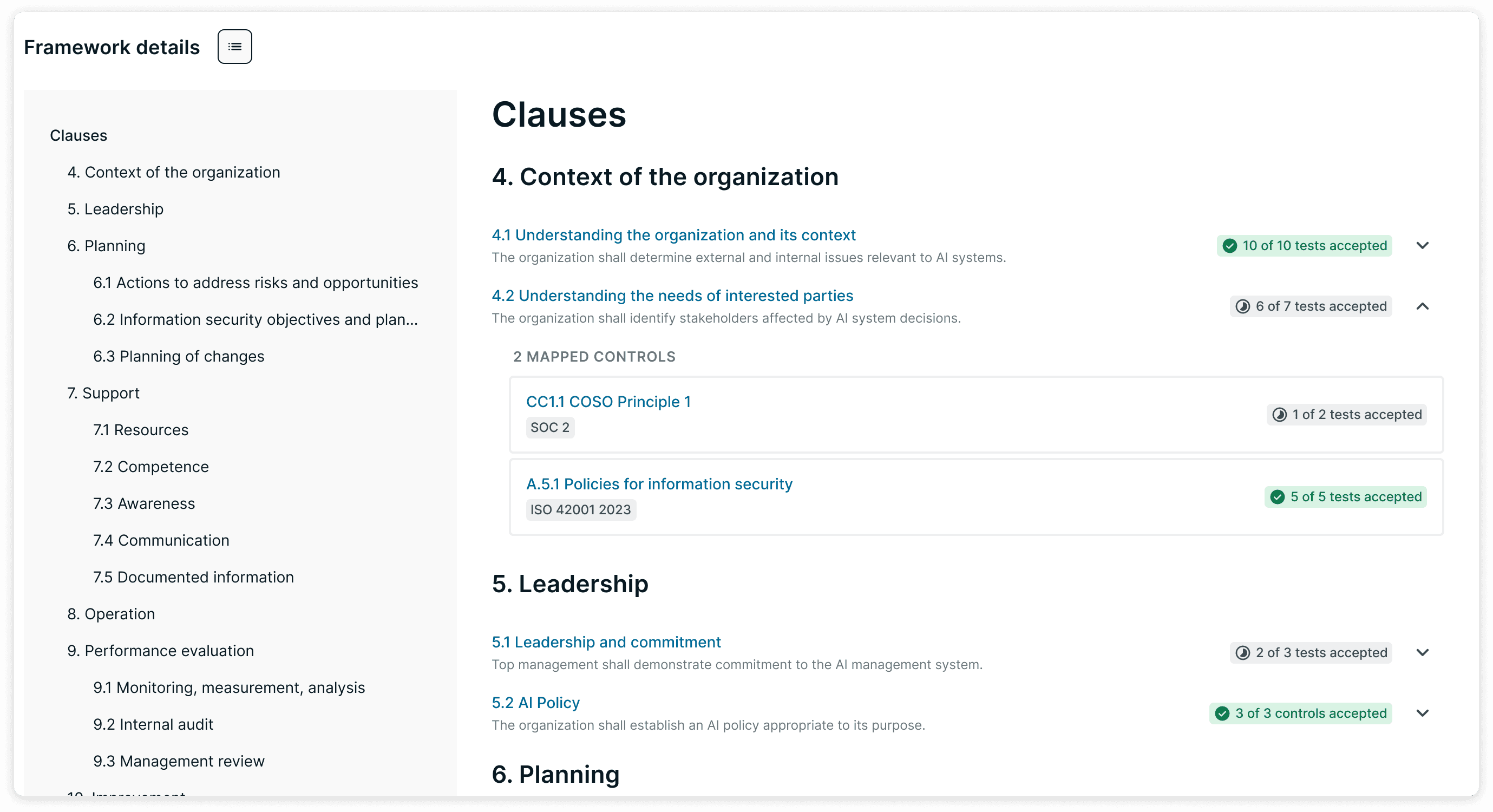
The Audit Portal serves two users: company admins running the audit, and external auditors reviewing evidence. They collaborate on the same audit object, but with different permissions and information needs.
Admins can manage the audit, see internal health statuses, and mark tests as ready for review.
Auditors see a scoped-down view focused only on what they need to evaluate—and can mark tests as Accepted or Action Required.
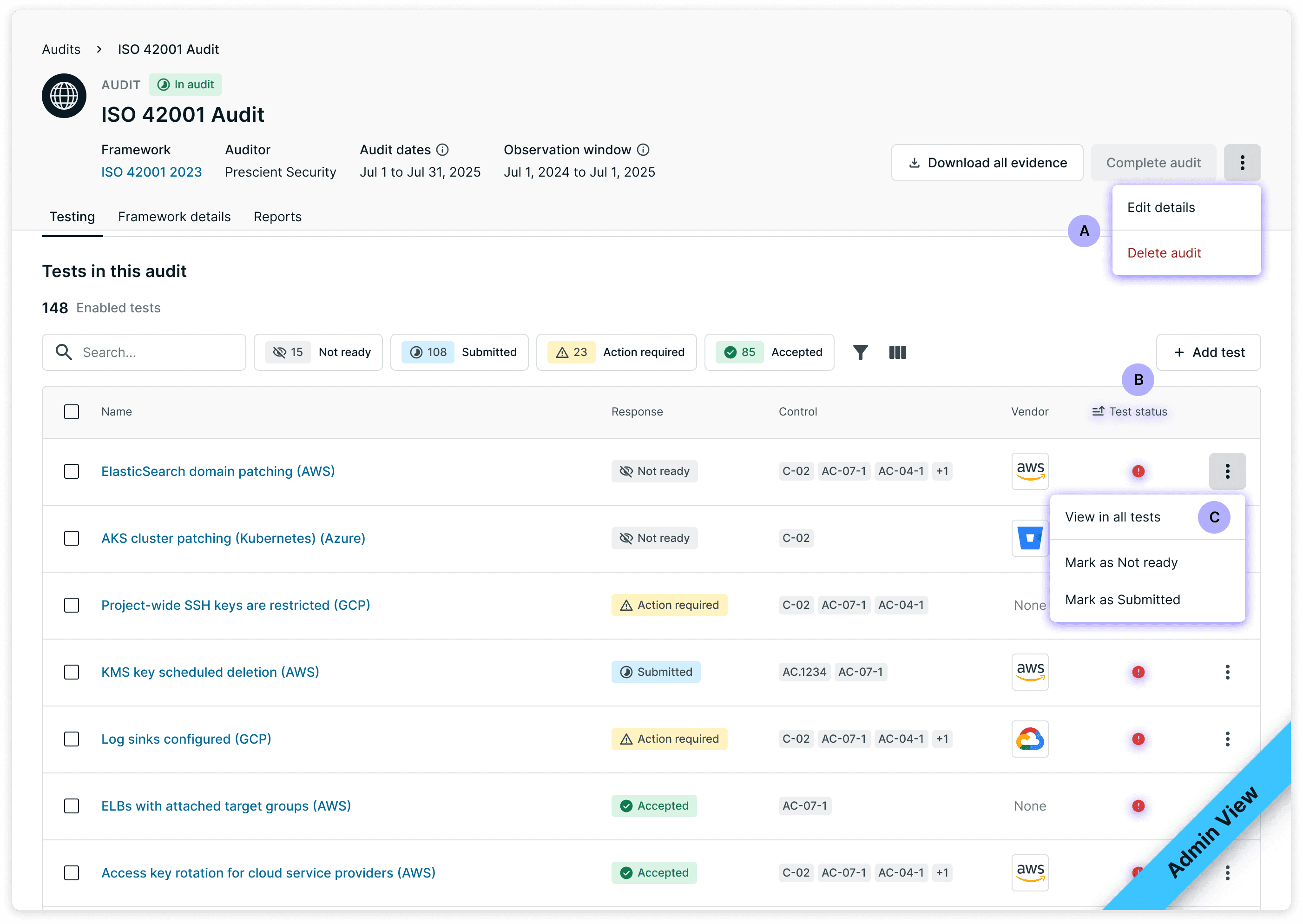
Admin experience
Can edit and delete audits
Health status visible
Marks tests as "Submitted" or "Not ready"
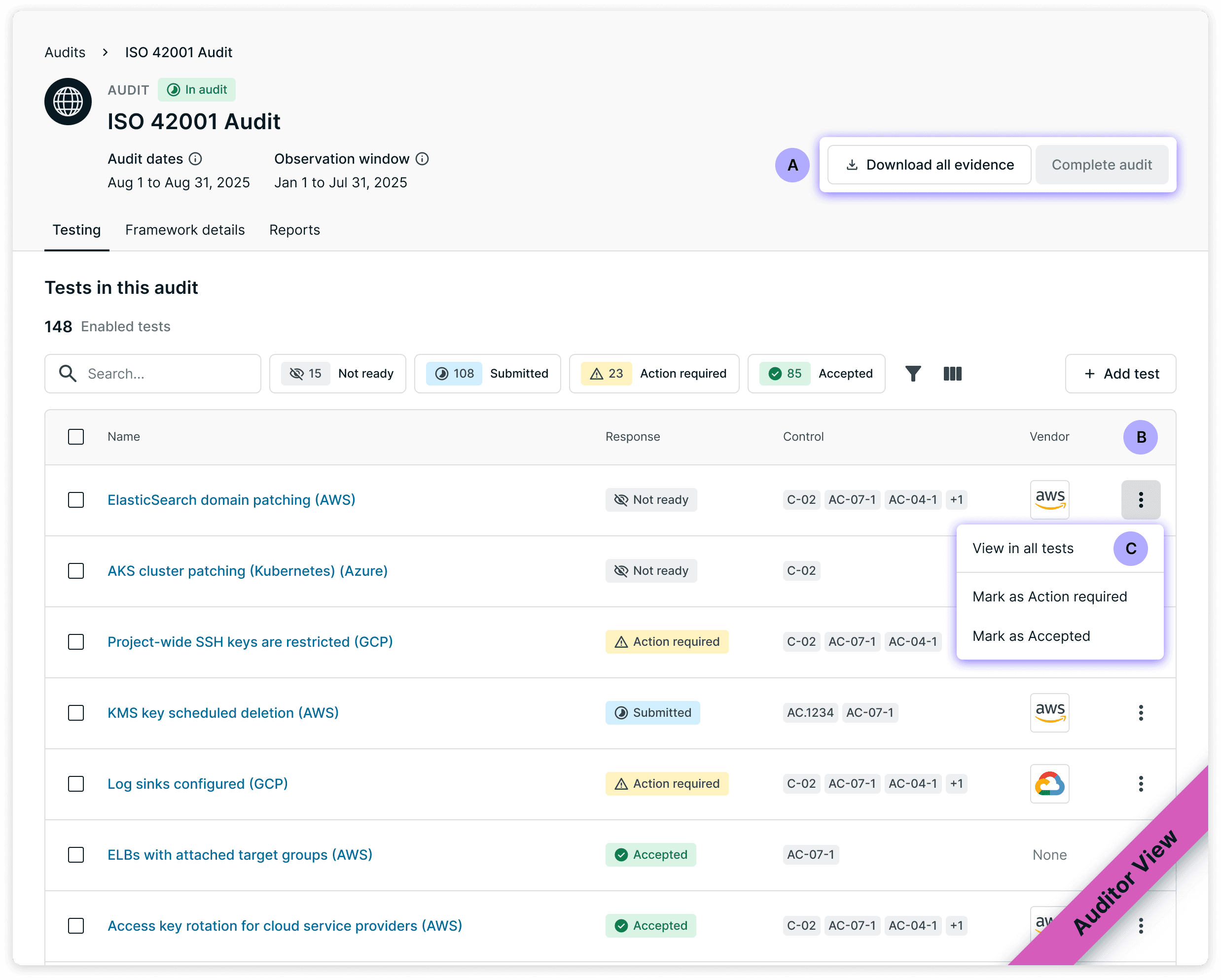
Auditor experience
No edit controls
Health status hidden
Marks tests as "Accepted" or "Action Required"
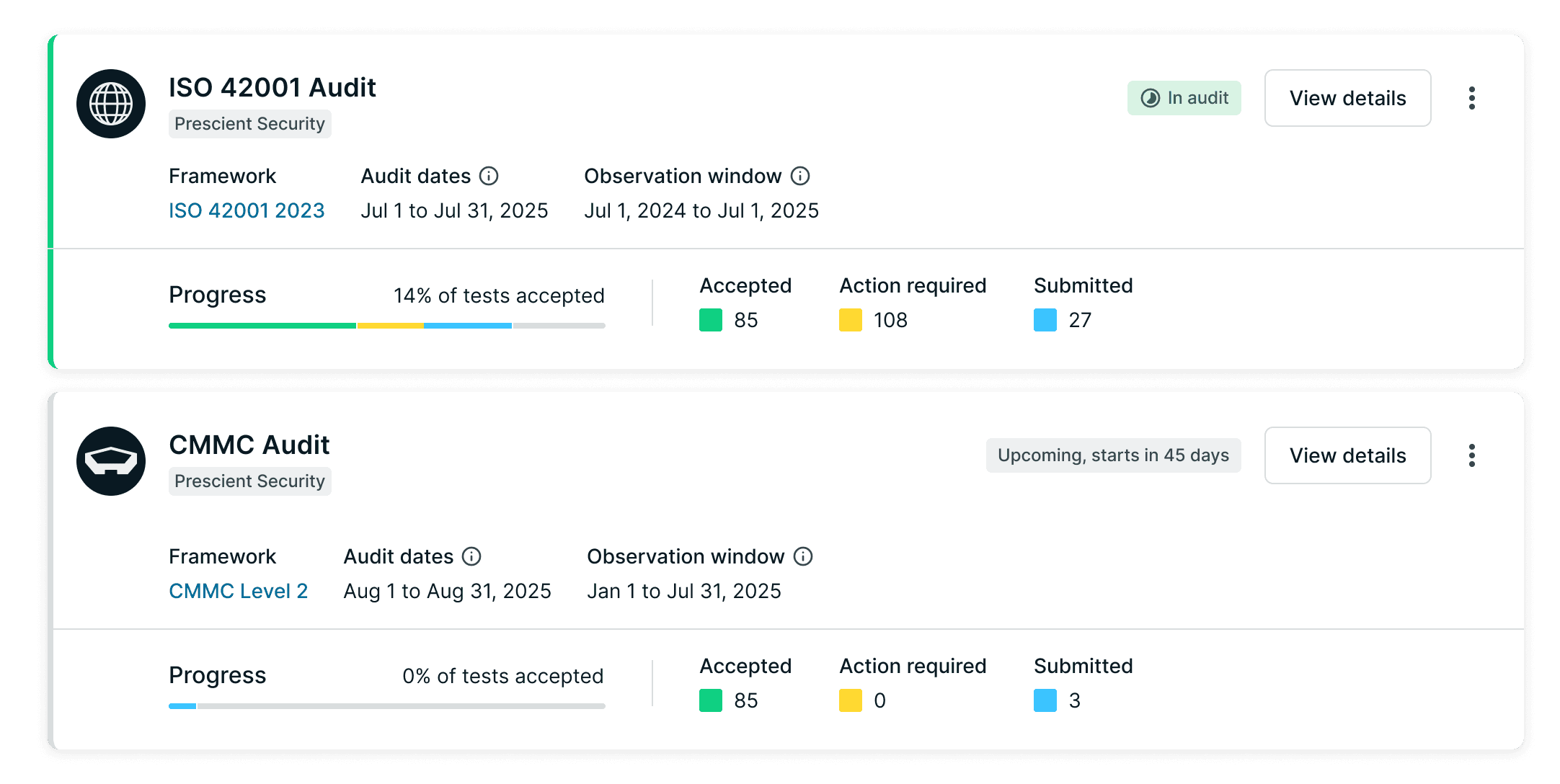
The Audit Portal shipped incrementally and is now in early access. Full retention data isn't available yet, but early feedback has been positive.
Rolled out to 68 customers in early access.
25+ audits actively in progress across 10 audit firm partners.
The module supports SOC 2, ISO 27001, HIPAA, and PCI audits.

Internal Slack message sharing customer feedback during early rollout.
Customer adoption has been strong—that was the first goal. The next opportunity is auditor adoption.
We intentionally built for customers first, giving them control and visibility during audits. But to fully close the loop, auditors need more reasons to work inside Secureframe instead of their own tools—things like a dedicated auditor view, audit completion workflows, and asset exports.
This project reinforced something I keep coming back to: success can create its own failure mode. Customers weren't struggling, they had already passed. The challenge wasn't helping them get compliant; it was making Secureframe valuable after they succeeded.