b2b HR & Payroll Saas
Designing a reliable system of employee data for HR Admins
COMPANY
PayFit
EXPERTISE
Product Design · Systems & Info Architecture
impact
Restored trust in employee data
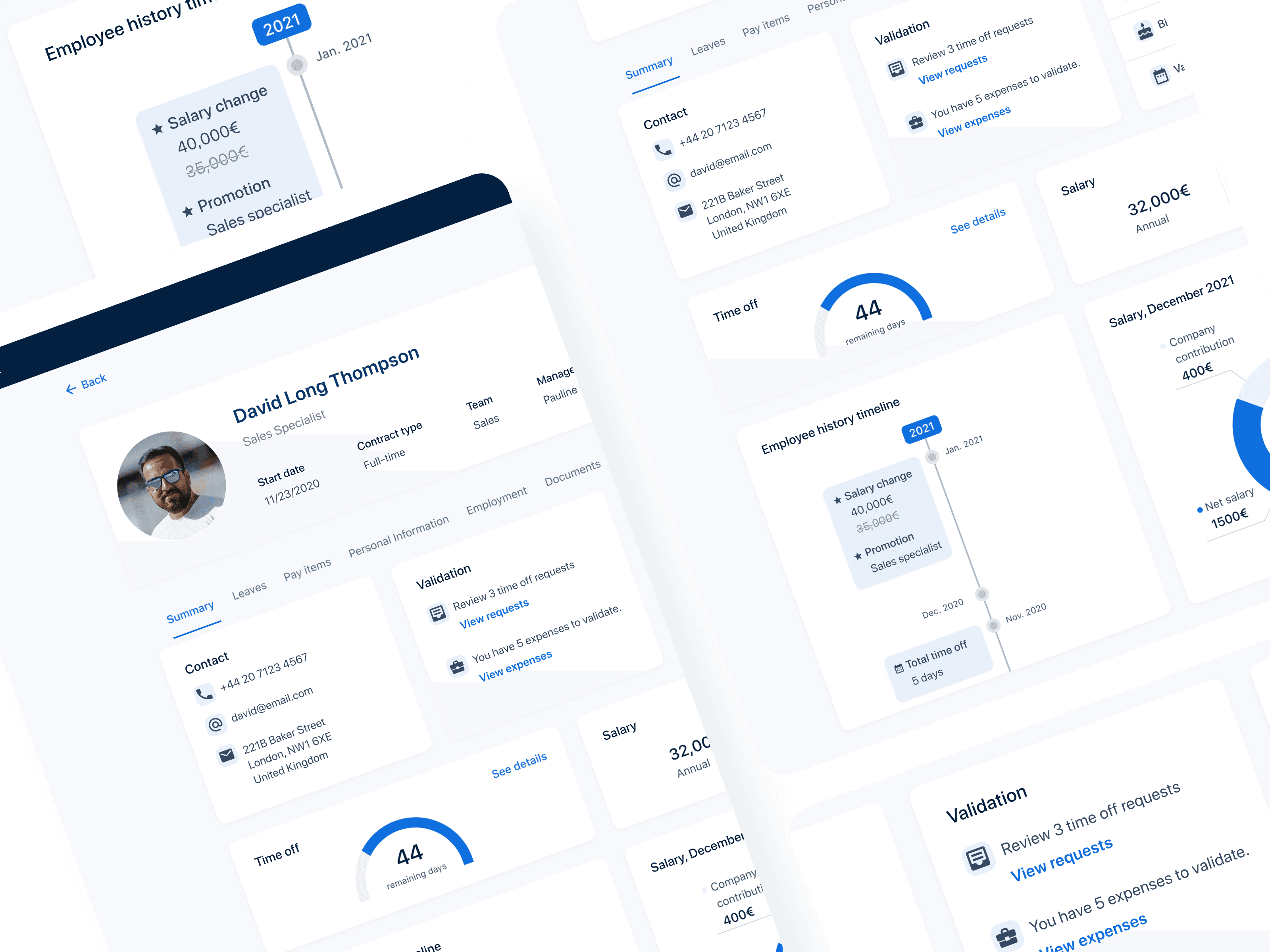
Fragmented employee data and unclear hierarchies made everyday HR tasks slow, risky, and hard to trust. This project re-architected the employee record into a reliable system of record, helping admins work with confidence across the employee lifecycle.
Background
PayFit is an HR and payroll platform used by teams across Europe to manage employee data, contracts, and administrative workflows.
Timeline
10 weeks from discovery to launch
The Team
1 PM, 1 Designer (me), 2 Engineers
My Role
I led discovery and end-to-end design to re-architect how HR admins access and interpret employee information across the platform.
The work resulted in improved admin confidence, faster access to critical employee information, and measurable gains in customer satisfaction and HRIS revenue.
To understand where trust broke down, we analyzed support tickets and interviewed HR admins about how employee data was used in their daily work.
Mapping the employee lifecycle revealed that the highest risk moments weren’t isolated screens, but transitions, such as contract changes, payroll updates, and employee status shifts where admins needed fast, accurate information.
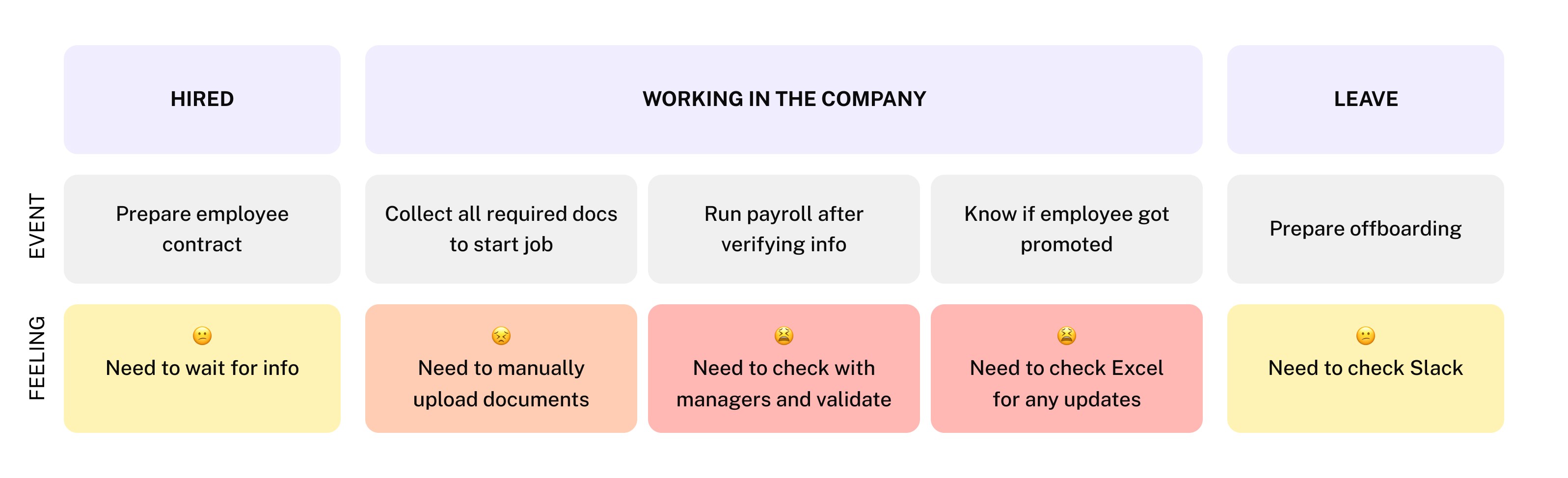
💡 Key takeaway: Risk increases when employee information lives outside the system or requires manual validation during lifecycle transitions.
From research and synthesis, three core needs emerged:
Efficiency
Admins needed to quickly access key employee details without navigating multiple pages.
Accuracy
Admins needed confidence that the information they were seeing was complete, up-to-date, and safe to act on.
Trust
The system needed to reduce the chance of costly mistakes rather than rely on admin vigilance alone.
Success wasn’t just about improving usability.
Based on our research, we focused on designing a system that made critical employee information easy to find, easy to trust, and hard to misuse.
Key design considerations included:
clear information hierarchy
fast scanning during high-risk moments
hard to misuse
Before: Why admins couldn’t confidently act on employee data
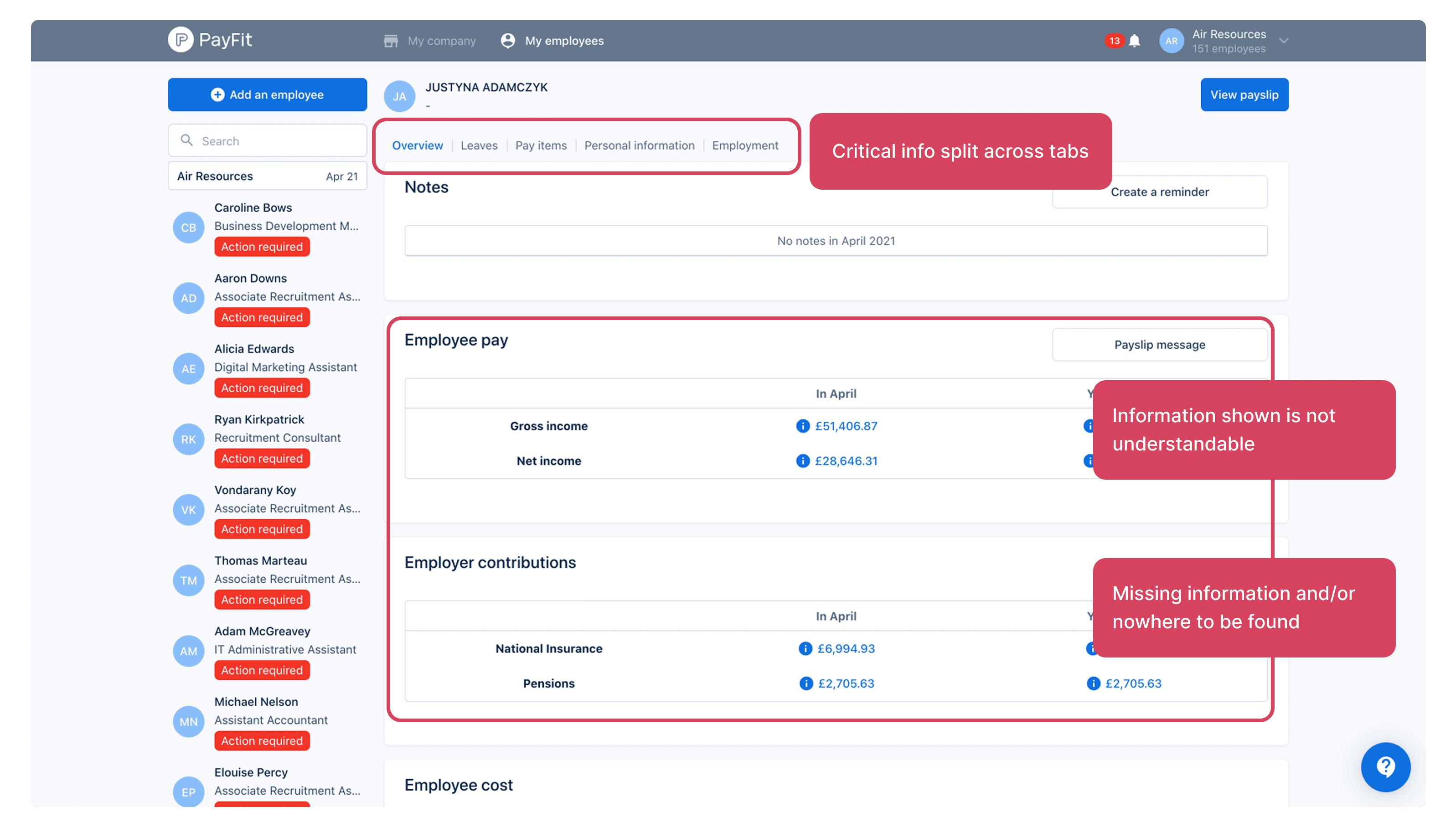
User quote:
“I cannot find certain employee information on this app. It isn’t very easy to do certain actions. I’m a bit afraid to make any mistakes.”
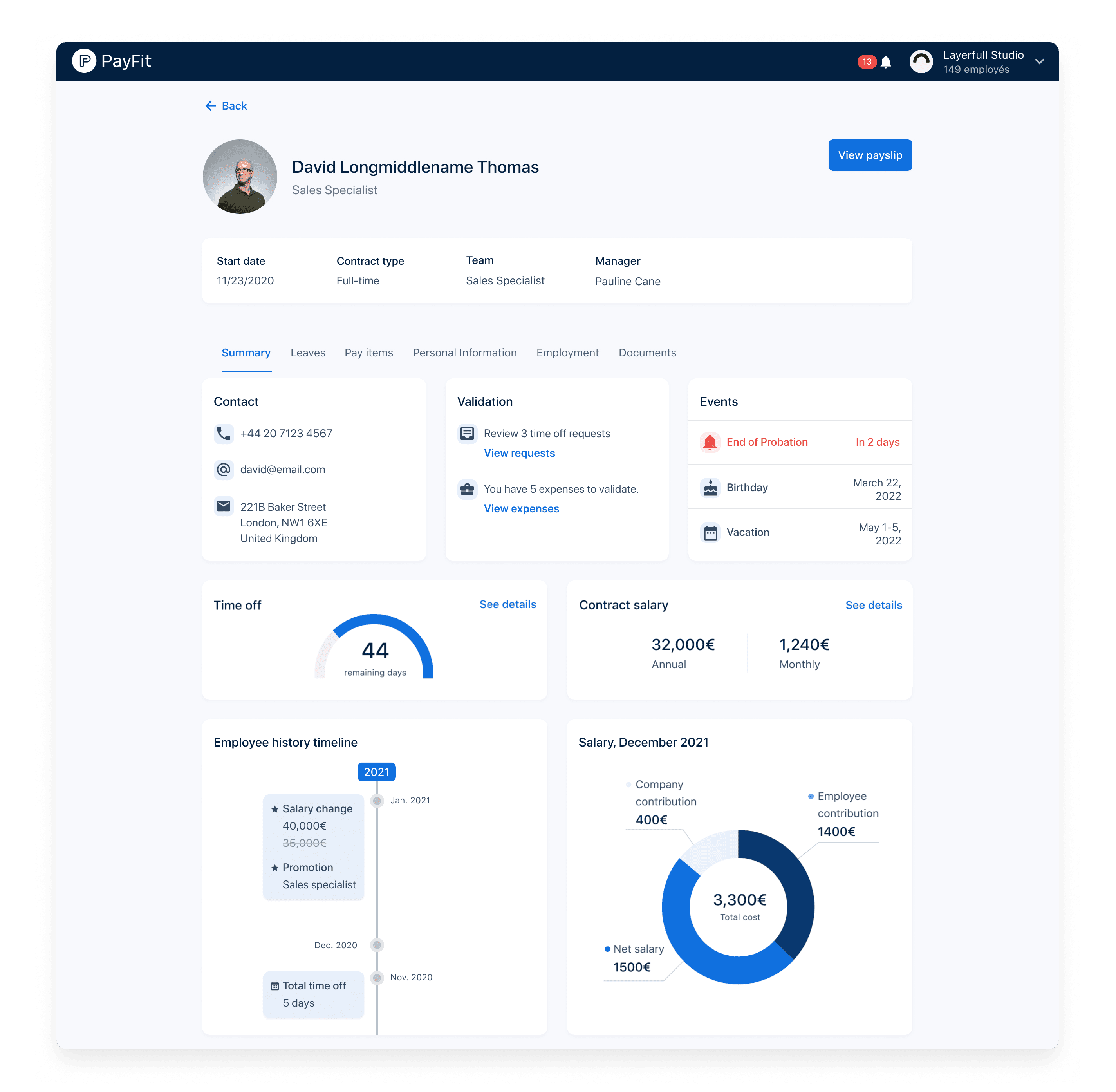
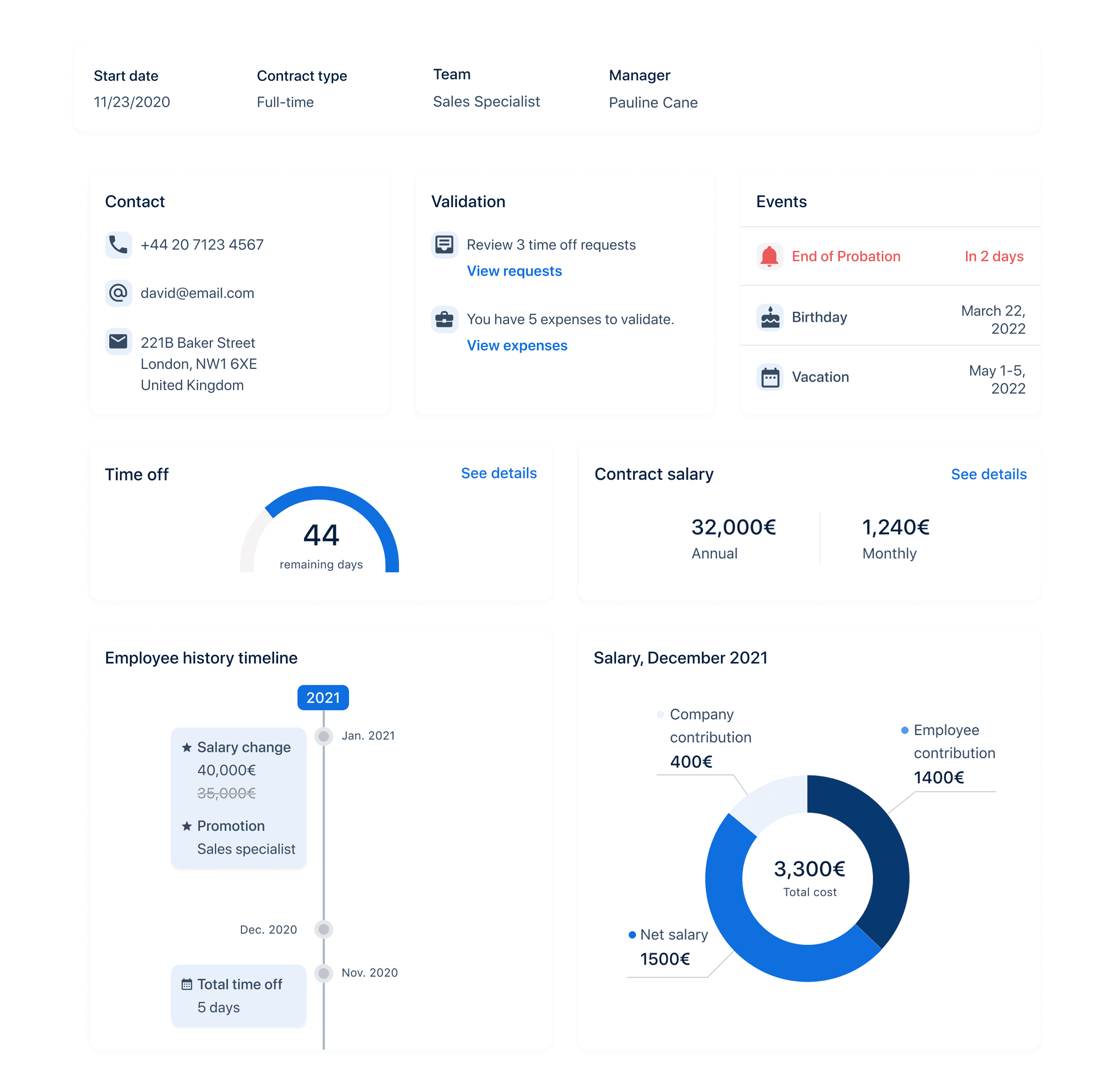
We introduced an Employee Summary to surface the most critical employee information in one place, supporting fast, confident decision-making during daily and high-risk HR workflows.
Instead of optimizing individual pages, this approach restructured how employee information worked together as a system.
Key design decisions:
Clear information hierarchy to make decision-critical data immediately visible
Grouping by admin workflows, not internal data structures
Fast scanning during high-risk moments like payroll and contract changes
Reduced cognitive load by minimizing cross-page navigation and redundant validation
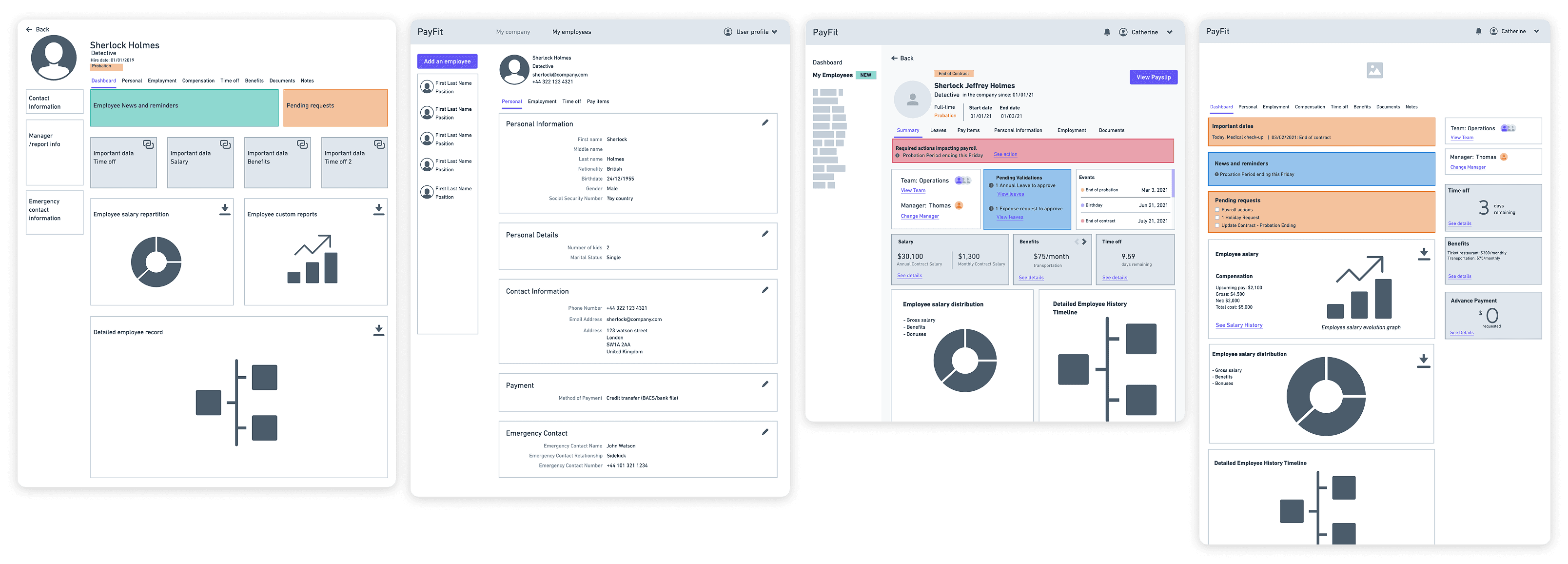
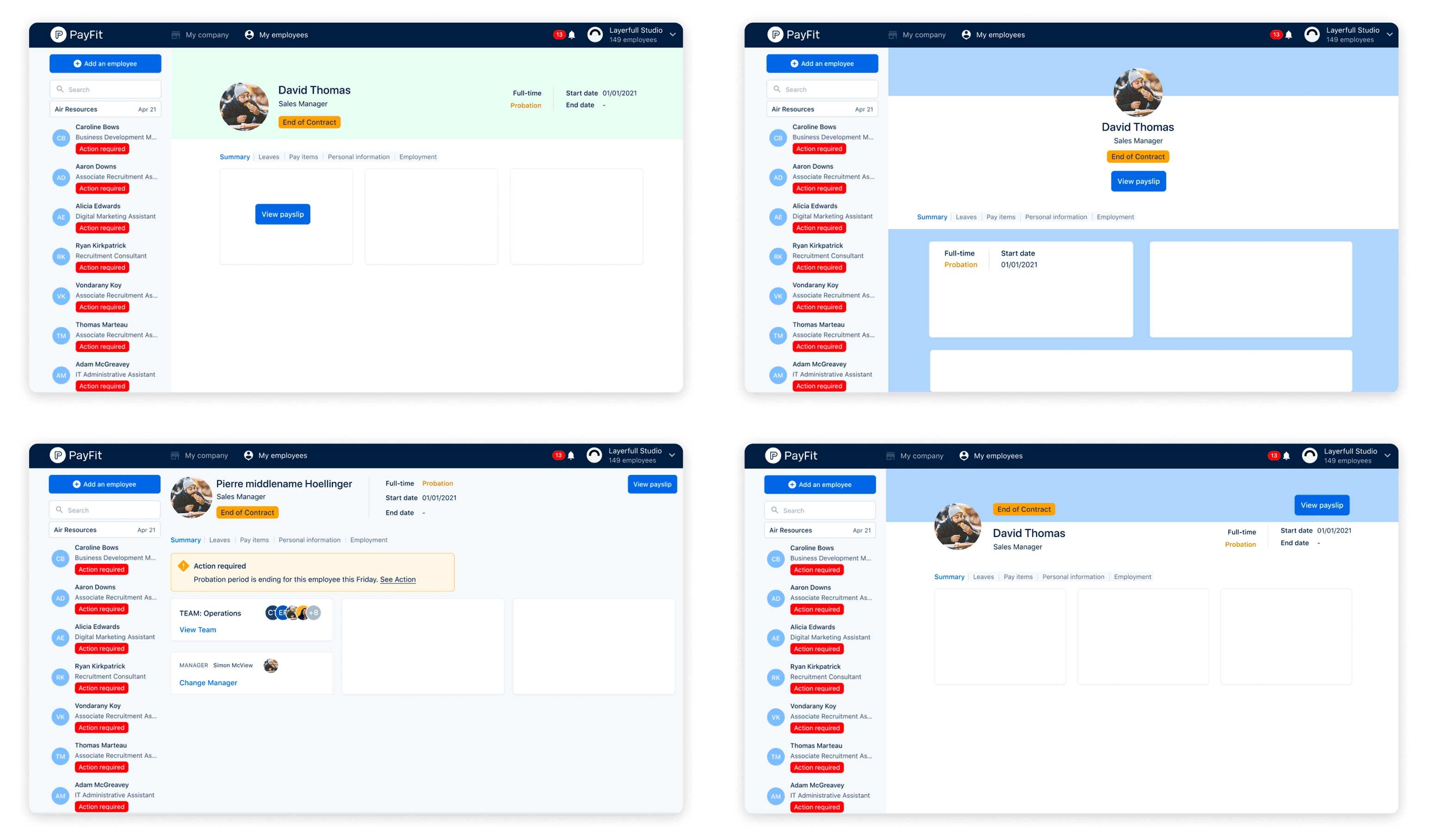
I explored multiple layout directions to test different hierarchies and groupings, then refined the solution in close collaboration with engineering and the design system team to ensure it could scale across the product.
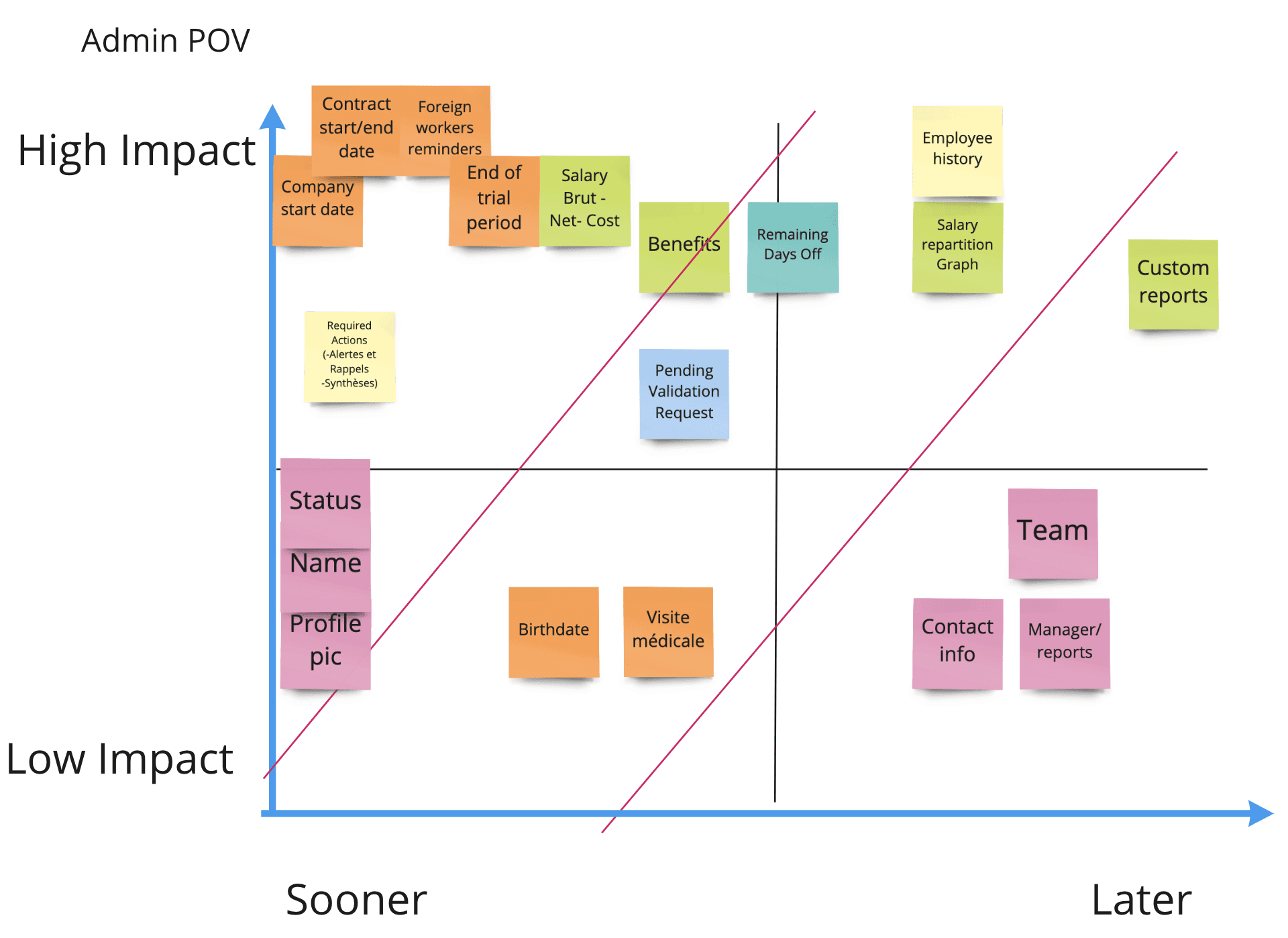
Employee information lived across multiple databases, which made it impractical to surface all data in the first release.
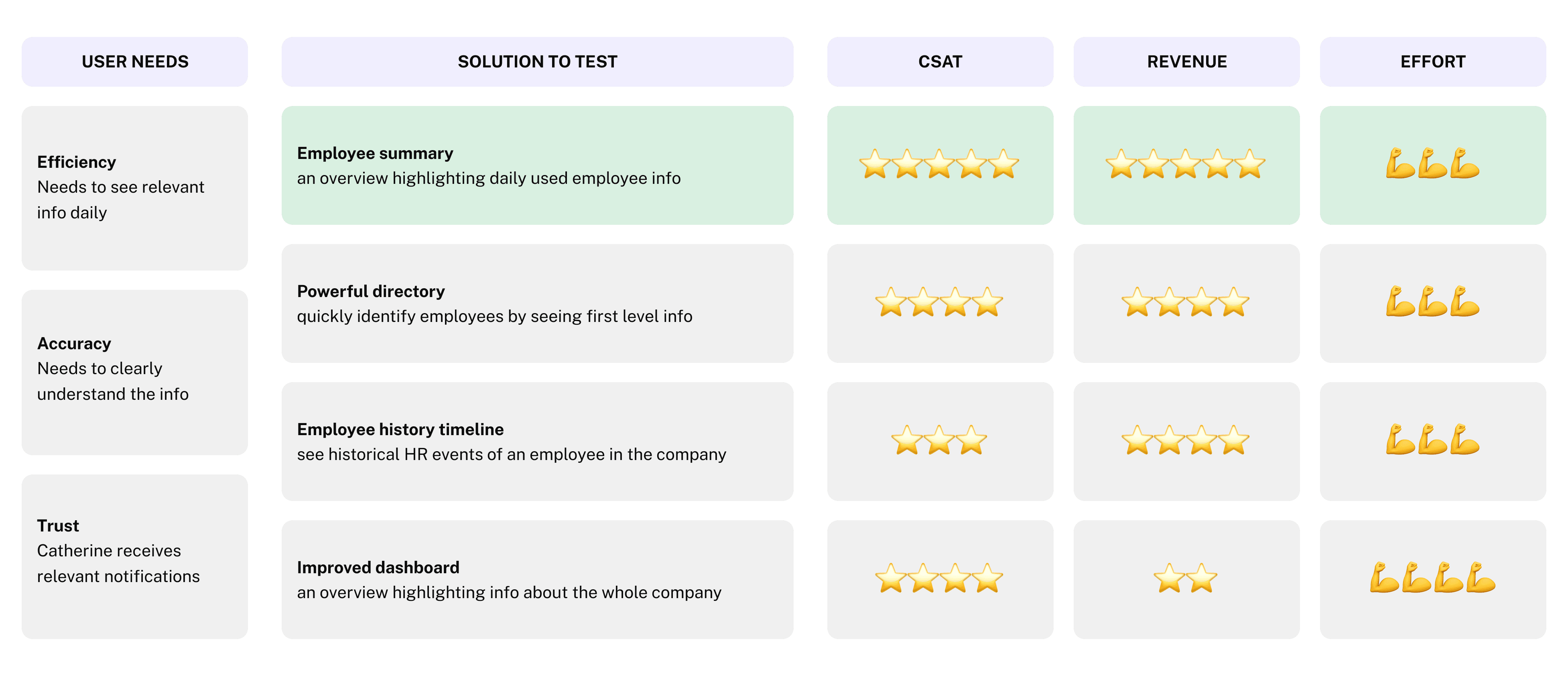
Rather than delay the solution or ship an incomplete experience, we prioritized which employee data to include based on admin workflows, risk, and feasibility.
Using an impact vs. effort assessment, we identified the data that:
admins relied on most in daily and high-risk workflows
was critical for confident decision-making
could be reliably surfaced within existing technical constraints
This allowed us to ship an MVP that delivered immediate value while creating a clear path for future expansion.
Shipping the Employee Summary required coordination across multiple teams, as employee data lived in different systems with unclear ownership.
To improve this going forward, we:
created a shared data ownership directory to clarify who owned which datasets
aligned earlier using visual progress maps to surface dependencies and risks sooner
These changes improved cross-team collaboration and reduced friction for future data-driven initiatives.
Early signals validated direction and trust.
39 active views per day
4.5 / 5 — “easy to use”
Admins found the Employee Summary clear and approachable
3.7 / 5 — “find all the info I need”
Highlighted gaps (e.g. time-off data) that informed next iterations
220 beta testers
💡 Takeaway: A system of record earns trust through actionability, not completeness, once users rely on it, expansion follows.