improving b2b crm automation
Empowering admins with flexible business rules
COMPANY
Kustomer
EXPERTISE
Product Design · Automation & Systems UX
impact
+17% increase in adoption in a quarter
Background
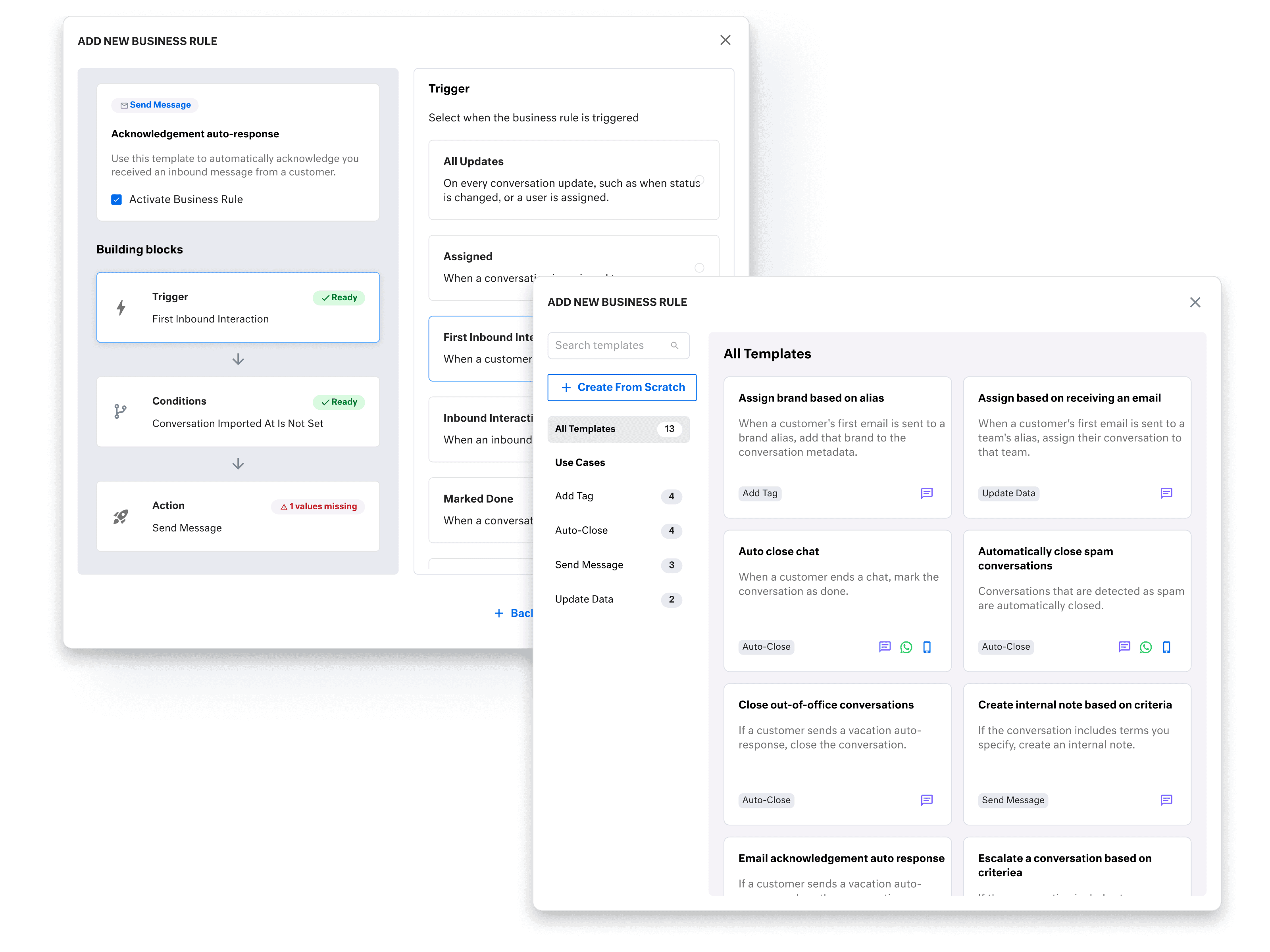
Business Rules in Kustomer allow teams to automate actions using if/then logic. For example, automatically tagging and routing conversations based on message content.
When configured correctly, they streamline operations and improve response times. When misunderstood, they create uncertainty and are difficult to safely modify.
Timeline
8 weeks from discovery to launch
The Team
1 PM, 1 Designer (me), 1 Engineer
My Role
I led research and end-to-end design to simplify a high-friction automation feature, resulting in a 17% increase in admin adoption and a 3% reduction in support tickets within one quarter. I partnered closely with product and engineering to deliver a scalable system that helped admins build trust in the automation feature again.
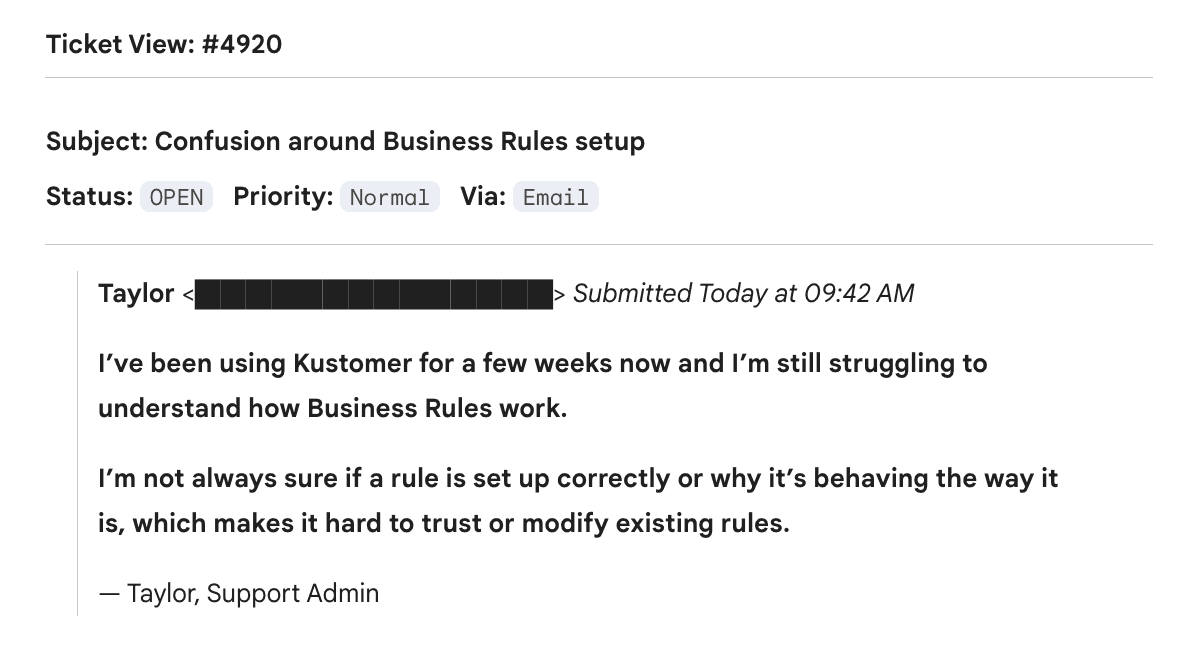
Our research revealed a growing usability gap:
7% of admins were brand new and overwhelmed from day one
Rule logic was hard to interpret, troubleshoot, or modify
Limited flexibility made rules feel rigid and unforgiving

Uncovering the friction
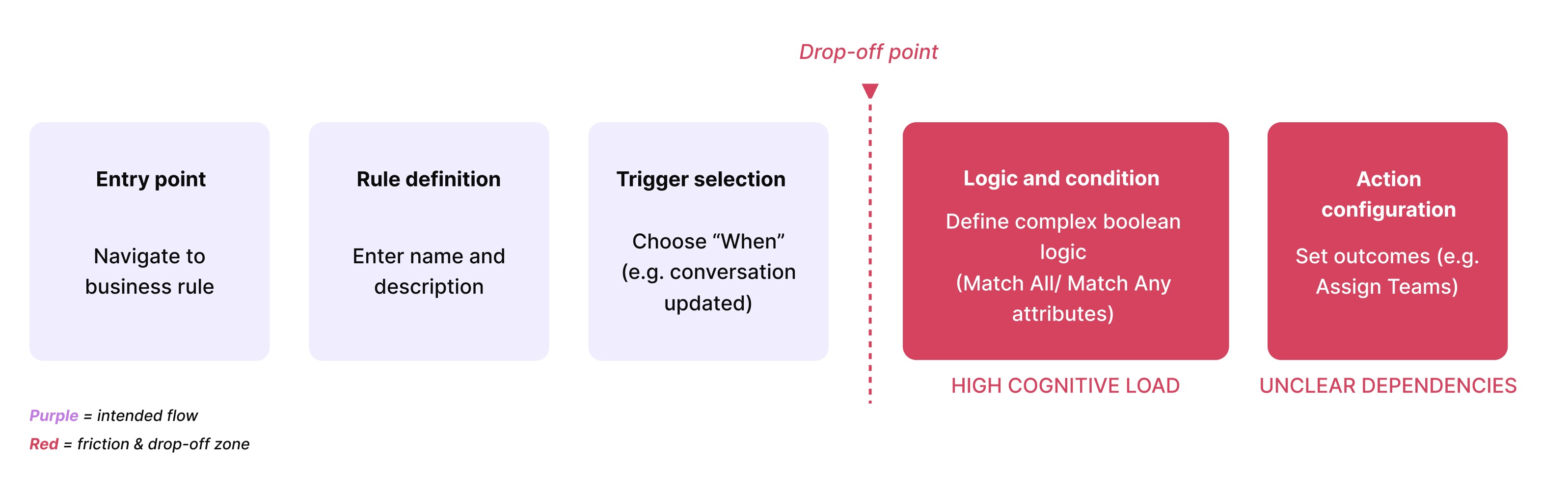
I found that current templates were difficult to discover. So I mapped an end-to-end workflow to identify where admins dropped off or abandoned setup and analyzed support tickets to surface recurring confusion around rule creation and modification
📢 Key insight: Admins struggled not because business rules lacked power, but because the system made it hard to understand, and safely build rules.
Designing the solution
Design principles & inspiration
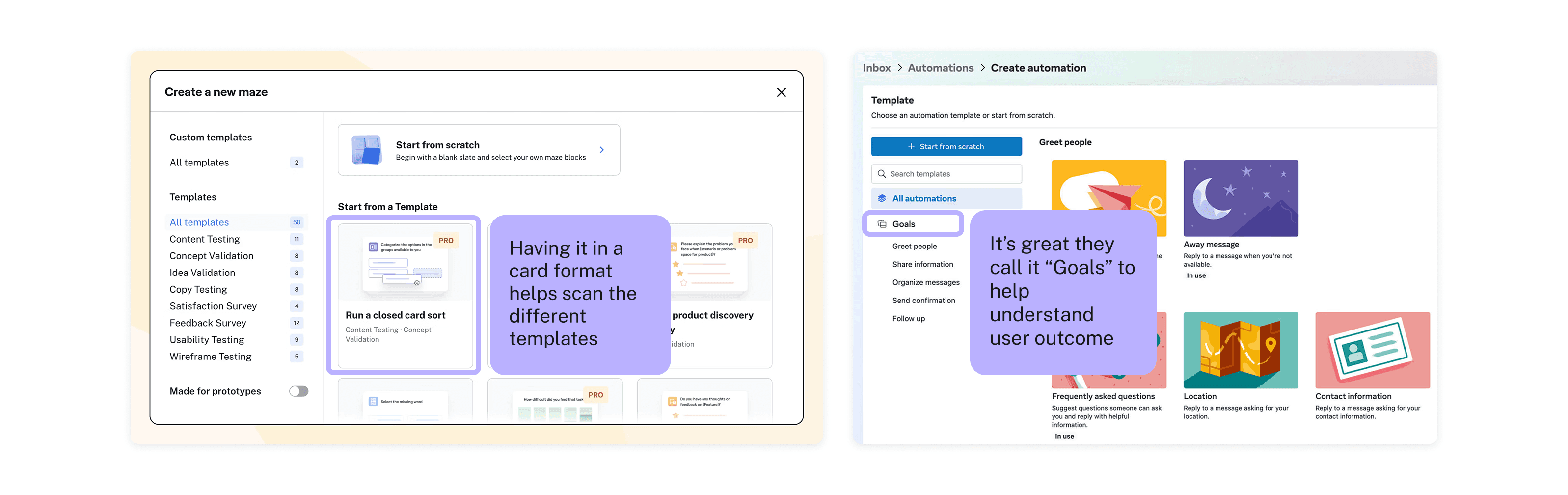
I looked at how other complex systems reduce cognitive load through guided starting points (e.g. templates, presets)
Observed a consistent pattern: successful tools front-load outcomes, not configuration
This directly informed the decision to introduce a template driven entry point for Business Rules, helping admins start from a known outcome instead of a blank slate
🎯 Design goal: Help admins feel confident starting a rule without understanding the entire system upfront.
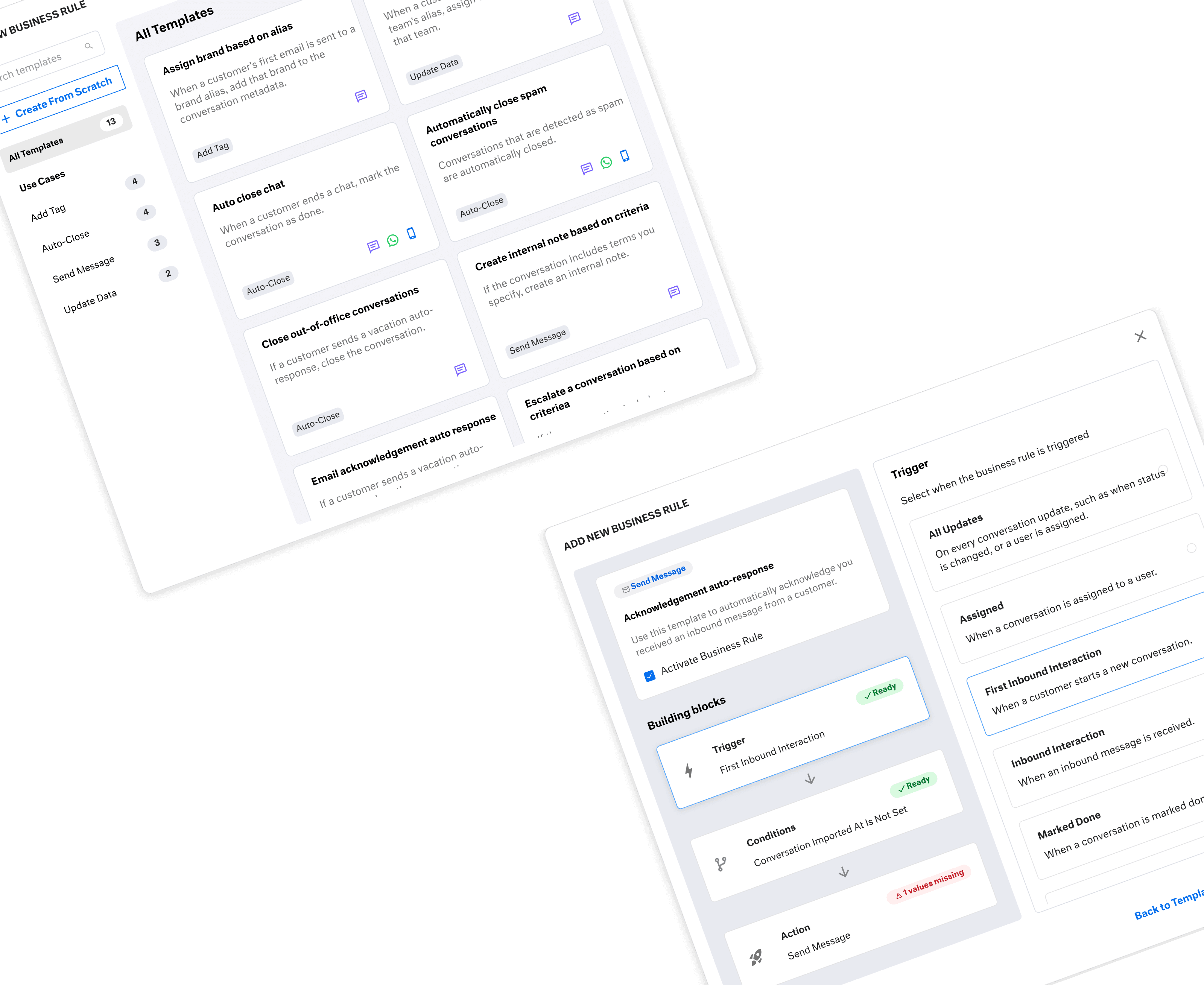
Designing the template gallery
Introduced a clean, categorized gallery to improve discoverability
Added visual previews and clearer labels so admins could understand what a rule would do before committing
Enabled search, filters, and channel icons to support faster, more confident discovery

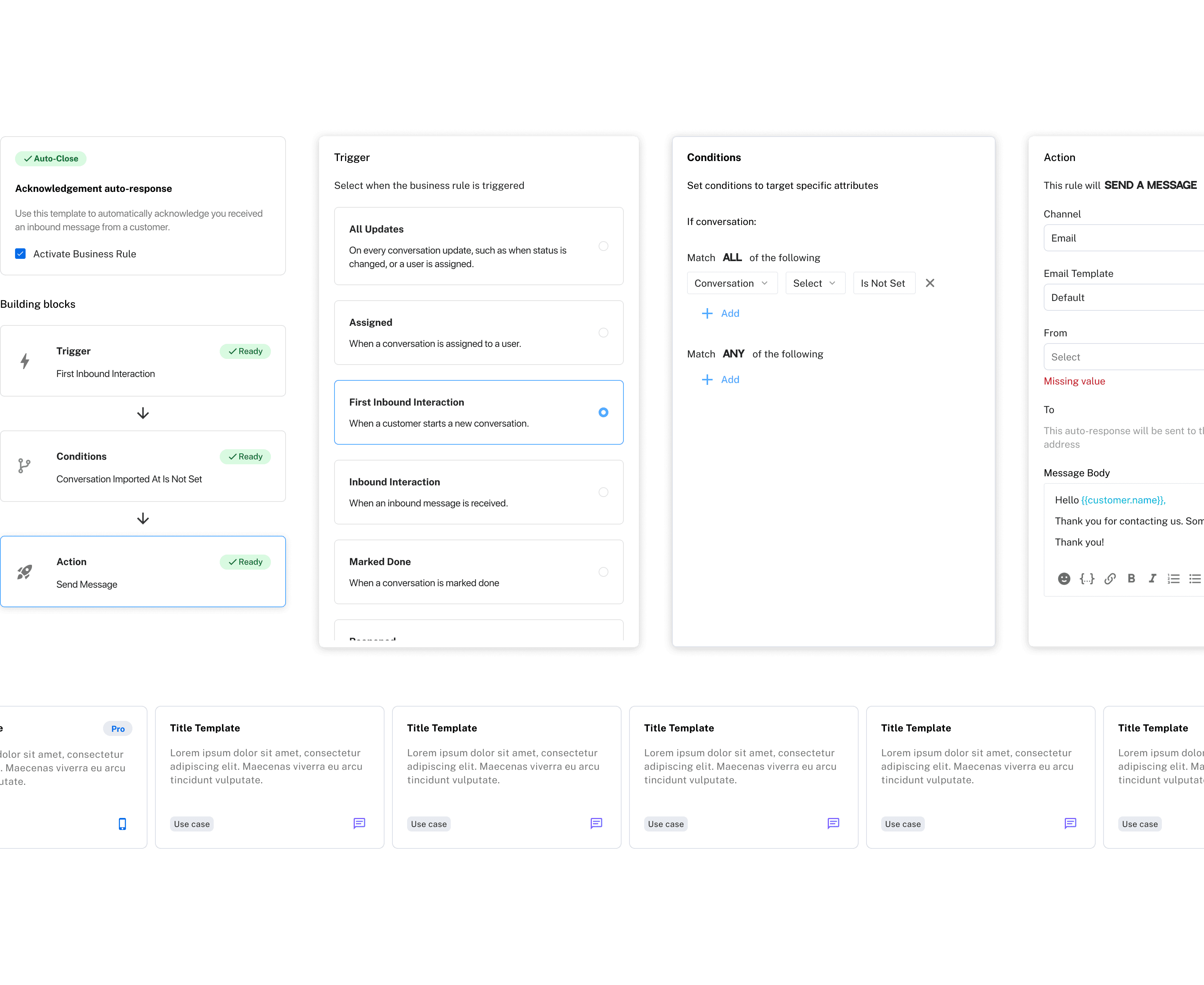
Designing the preview builder
Visual building blocks mirror how admins think, breaking complex logic into triggers, conditions, and actions
Live previews remove uncertainty and reduce the risk of misconfigured or unsafe rules before activation

To validate whether templates actually reduced setup friction and increased admin confidence, we released the first version to a beta group of 18 new customers. Within three weeks, usage and feedback helped confirm what worked and surfaced where the experience still needed refinement.
What we validated in beta
Overall, early signals were strong. 87% of beta admins successfully used templates to create and activate rules, confirming that outcome-first entry points reduced setup friction and increased confidence.
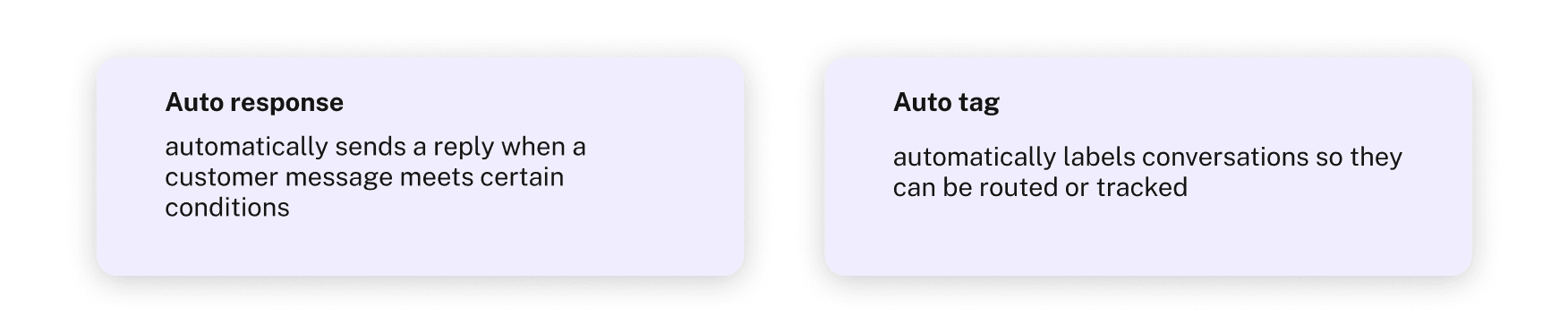
The most commonly used templates reinforced this pattern:
Auto response
Auto tag
These templates helped admins start from familiar outcomes instead of building rules from scratch.
What we learned and iterated on
Beta feedback confirmed that templates reduced the initial cognitive load, but also surfaced a second-order challenge: as admins began relying on templates, discoverability quickly became the new bottleneck.
Admins weren’t struggling to understand how templates worked, they struggled to find the right one fast enough as the library grew.
This shifted our focus from “getting started” to scaling confidence and speed over time.
User quotes from Beta
“Seeing examples of what a rule could do helped me understand the feature way faster than starting from a blank rule.”
"Before this, I never felt totally sure if I was setting rules up the right way. Starting from a template made it feel much safer to try things."
How we addressed the learning
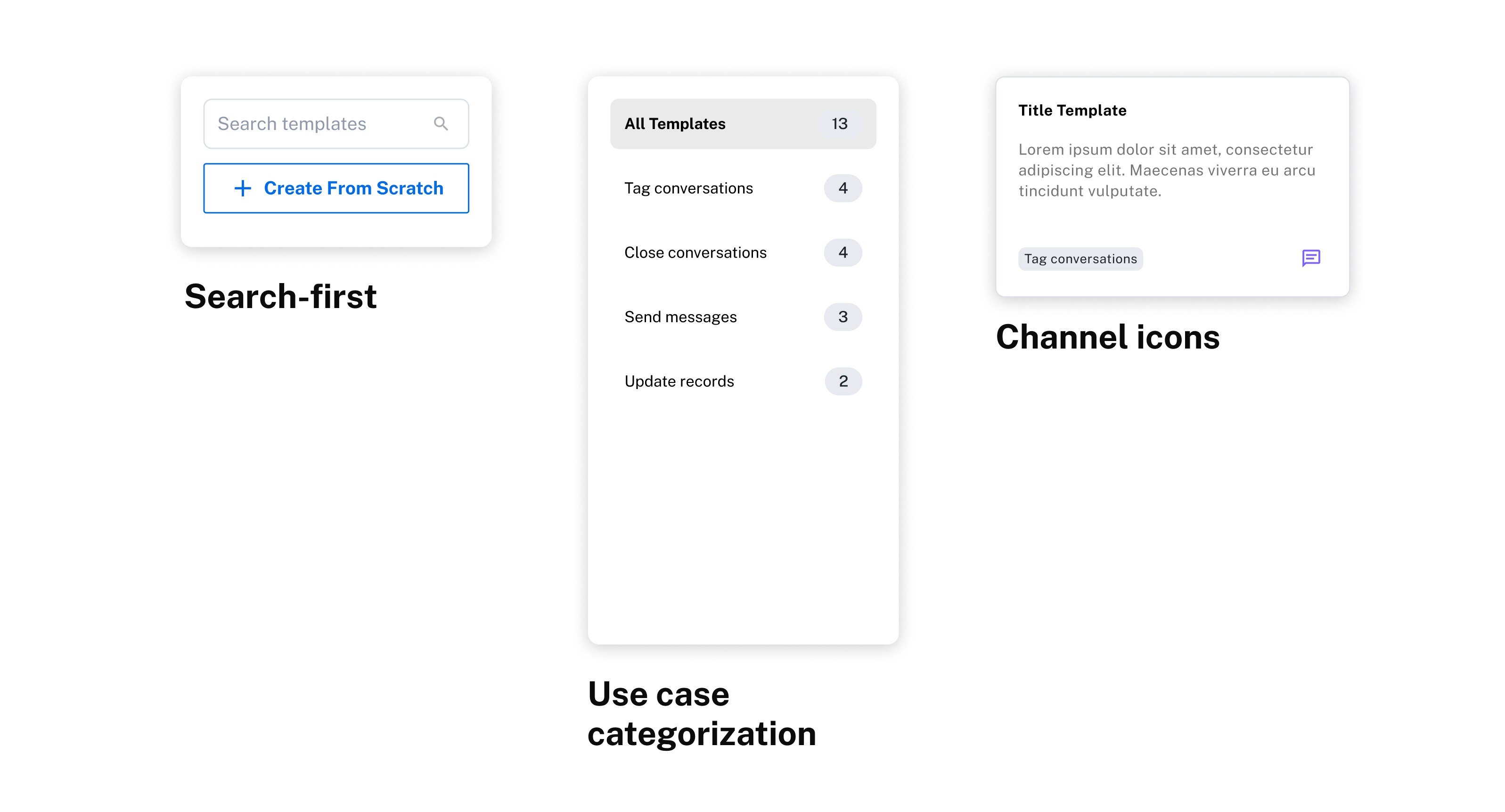
Search-first entry point to help admins quickly locate relevant templates as the library expanded
Clear use-case categorization to reduce scanning and decision fatigue
Channel icons to help admins immediately understand where a rule would apply
💡 Design principle: As systems grow, discovery must shift from browsing to recognition.
Following strong beta validation, we rolled out the template gallery to 700+ customers. We defined success as improving admin adoption while reducing support burden.
Impact
17% adoption rate within the first quarter, exceeding our initial 15% target and confirming that templates lowered the barrier to using Business Rules
Support tickets related to Business Rules dropped from 13% to 10%, indicating improved clarity and confidence, though revealing opportunities to further reduce friction
Looking ahead
Based on these results, our next focus was:
Making rules more flexible and forgiving to support advanced use cases
Giving admins greater autonomy without increasing the risk of misconfiguration